Coupons
Occasionally, Make sends coupon codes via email. A coupon code may look like this: xrCeZkqA
A coupon may offer one of the following:
- Free trials of a subscription plan
- Discounts on subscription plans, such as your current plan or higher
- Extra credits
Each coupon is unique and redeemable only once.
Redeem coupons
Only organization admins and owners can redeem coupons. If you're not an admin or the owner of an organization, contact them to redeem your coupon.
Navigate to Org in the left sidebar, then to the Subscription tab in My Plan.
Click Redeem coupon.
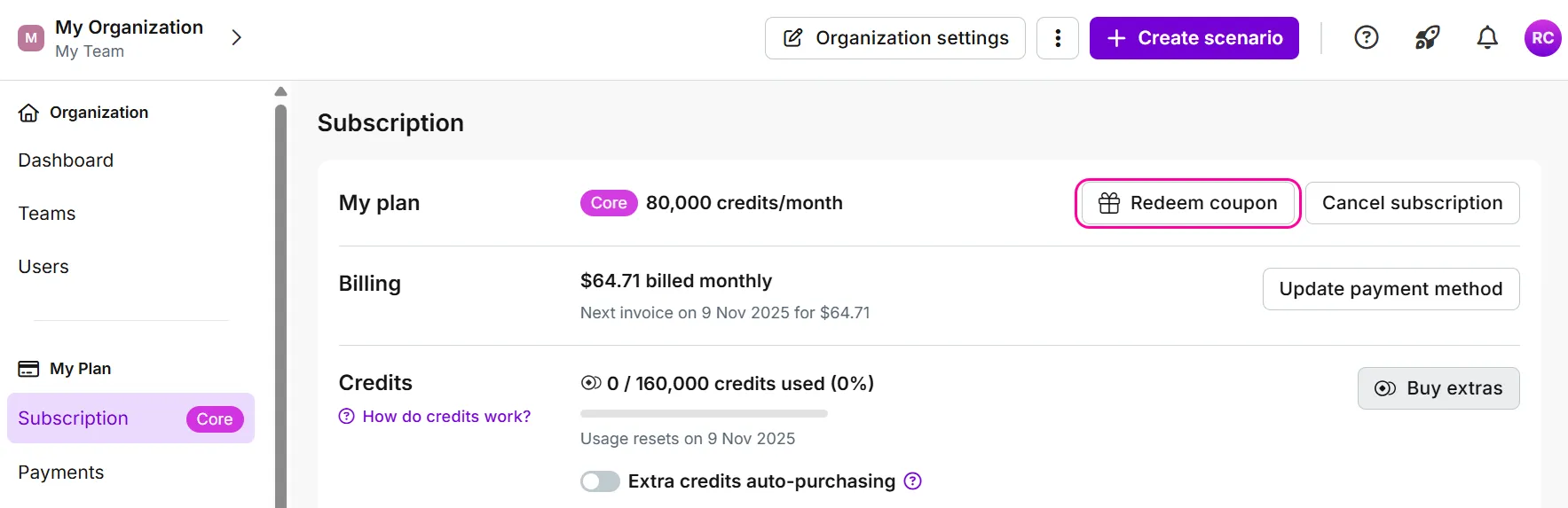
Enter your coupon code and click Redeem coupon.
In the payment checkout, your coupon appears in the details of your plan. Review your billing details and click Redeem coupon.
Depending on the details of your discount and plan, you will either proceed with your coupon redemption or be redirected to a payment gateway to complete the redemption.
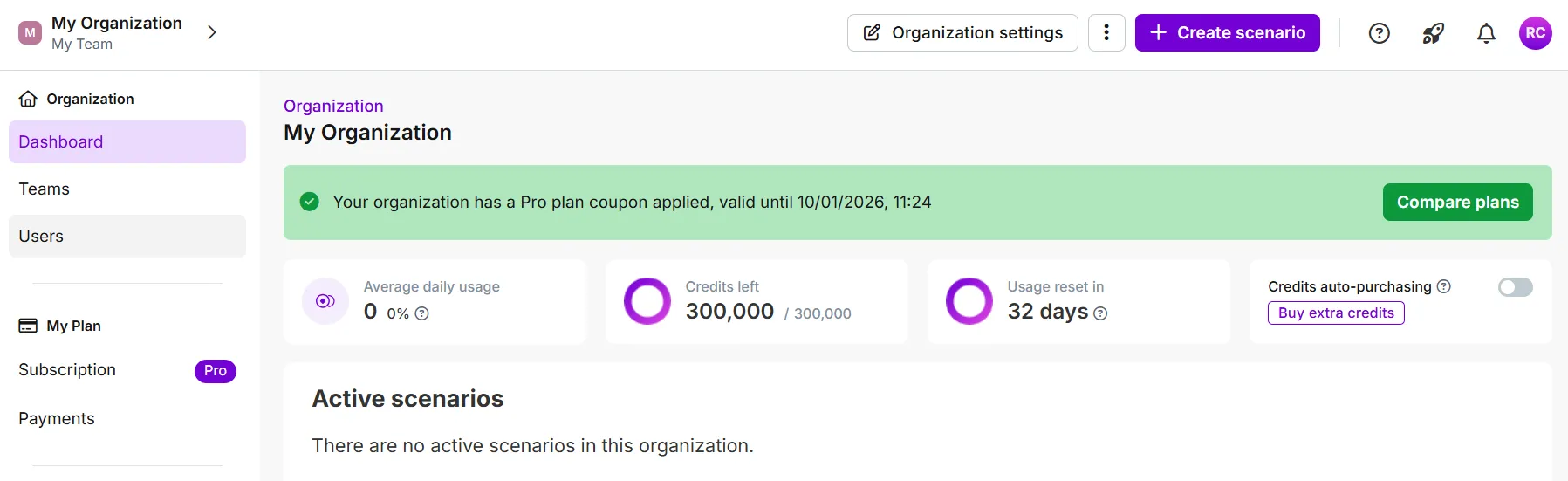
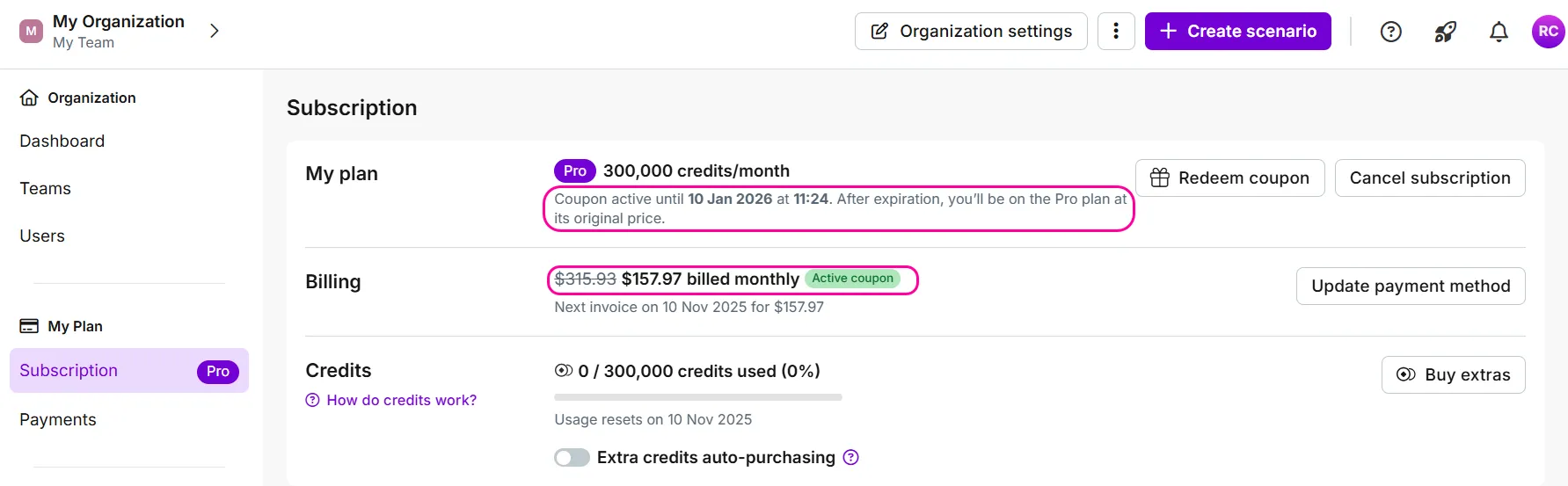
To verify the successful redemption of your coupon, you can:
- Check the banner that is now visible in your Organization dashboard
- Check the details related to your coupon outlined in the Subscription tab
Subscription coupons
Subscription coupons and your plan
Using a coupon for a subscription plan places you on that plan if you have a saved payment method.
To return to the plan you had before the coupon, change your subscription before your coupon expires.
If you do not have a valid payment method saved, you will have a Free plan when your coupon expires.
Subscription coupons and your billing cyle
After you redeem your subscription coupon, your billing cycle changes. The day you redeem your coupon becomes the new start date of your billing cycle.
Example
You have a Core plan that renews on the 20th of each month. You receive a coupon for the Teams plan. On the 15th, you redeem your coupon. The 15th is now the beginning of your monthly billing cycle.
Exceptions
- Coupons for the same plan do not impact your billing cycle. For example, a discount on your current plan.
- Core plans with an annual subscription have different billing and reset cycles: credits reset every month and your extra credits expire with the monthly reset.
You can only have one subscription coupon applied to your subscription plan at a time. Redeeming a second plan coupon cancels the first. This limit does not apply to coupons for extra credits. You can combine coupons for plans and extra credits.
Extra credits coupons
You do not need a saved payment method to use coupons for extra credits.
Extra credits are valid for the length of your billing cycle and expire on your billing day.
Example
You have a coupon for 10,000 extra credits, and your monthly subscription renews on the 15th of the month. If you redeem the extra credits on the 14th, they are valid until the 15th.
Extra credits are valid until the end of your billing cycle, regardless of how many other coupons you redeem.