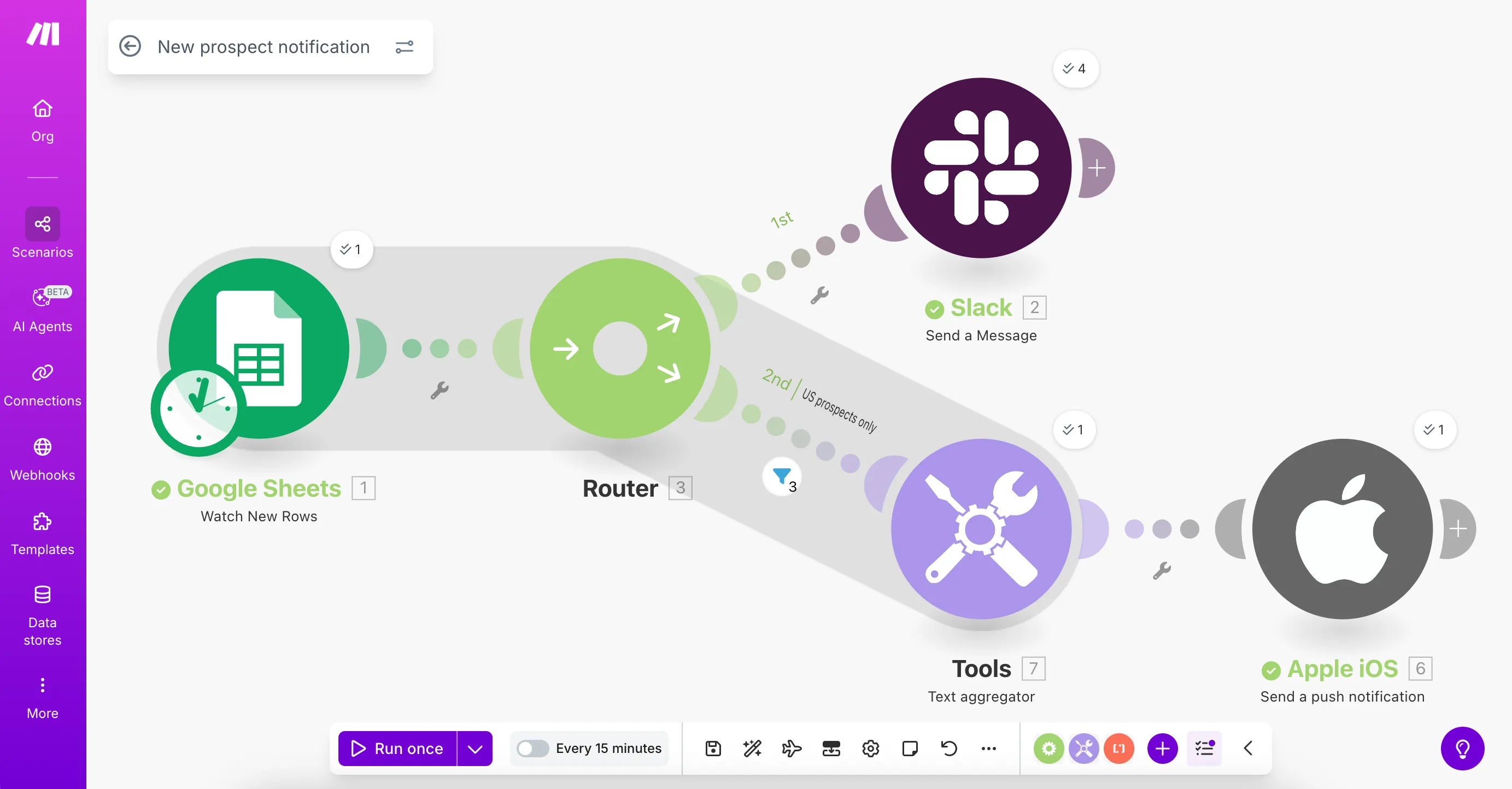
Expand your scenario
2 min
Now that you've created your first scenario that monitors Google Sheets for new prospects and sends Slack notifications, you can take your scenario further. This guide will walk you through using routers, filters, and aggregators to create targeted notifications that make your automation more effective.
What you'll build
Your expanded Make scenario will:
- Monitor Google Sheets for new prospect entries by the marketing team.
- Send Slack notifications to the sales team when new prospects are added.
- Send mobile notifications to the Sales Manager for US-based prospects.
- Aggregate multiple US prospects into a single notification.

What you'll need
- Your Make scenario that you created following the steps in Create your first scenario
Here's a preview of what your expanded scenario will look like: