MCP tools for AI agents
This page reflects a previous version of Make AI Agents. For the latest information, see Make AI Agent (New).
You can connect your AI agent to MCP servers to access additional tools.
To add an MCP tool for an AI agent:
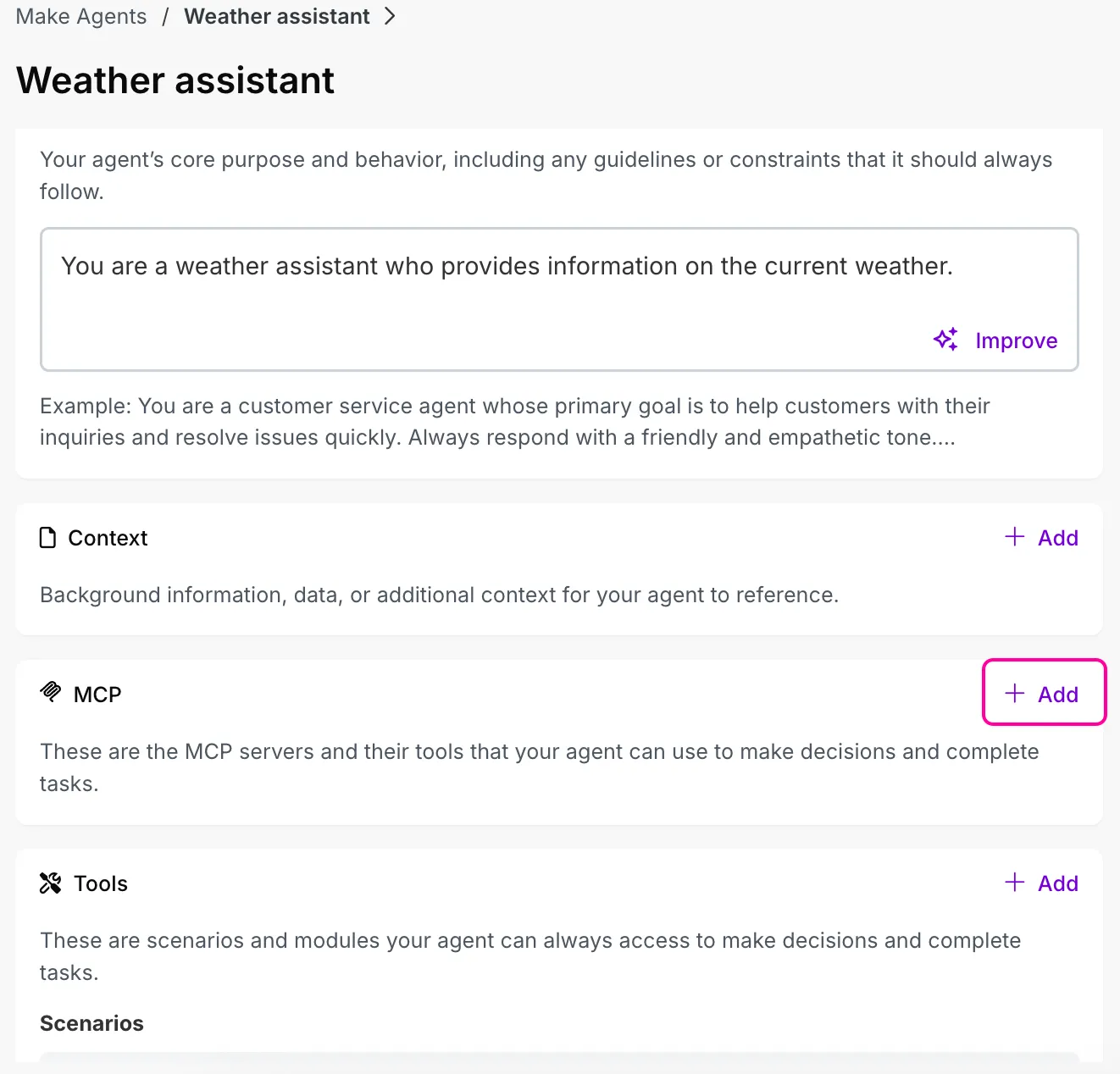
Go to the AI Agents configuration tab on the left sidebar.
Select an agent where you want to add an MCP tool.
In the MCP section, click Add.
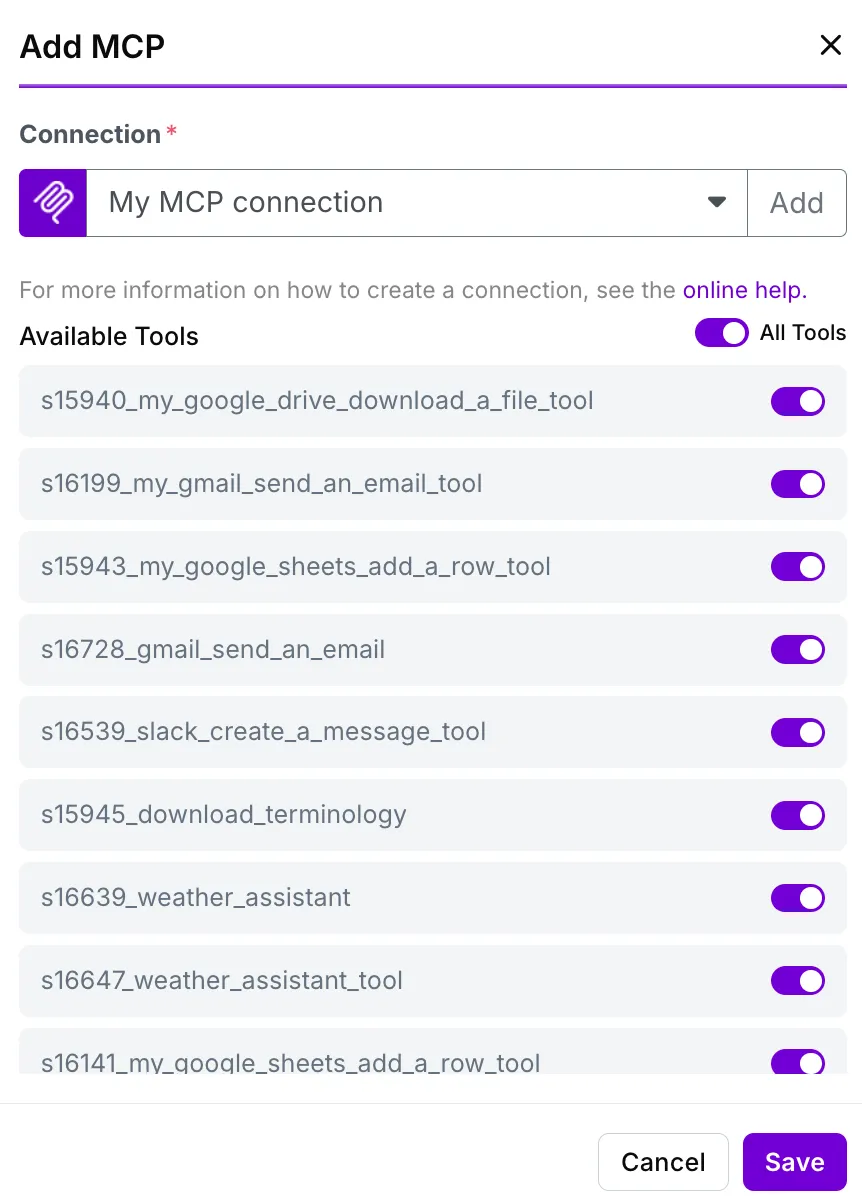
Create a connection to an available MCP server or choose an existing connection.
See here how to create a connection to an MCP client.
Toggle on the tools that you want the agent to access.
Click Save.
Click Save in the top-right corner to save the changes in your AI Agent.

You can now use your MCP servers and their tools in your AI agent. You can also:
- Click the drop-down to enable and disable active tools
- Click the gear icon to edit the connection
- Click the delete icon to delete the MCP tool from your AI agent

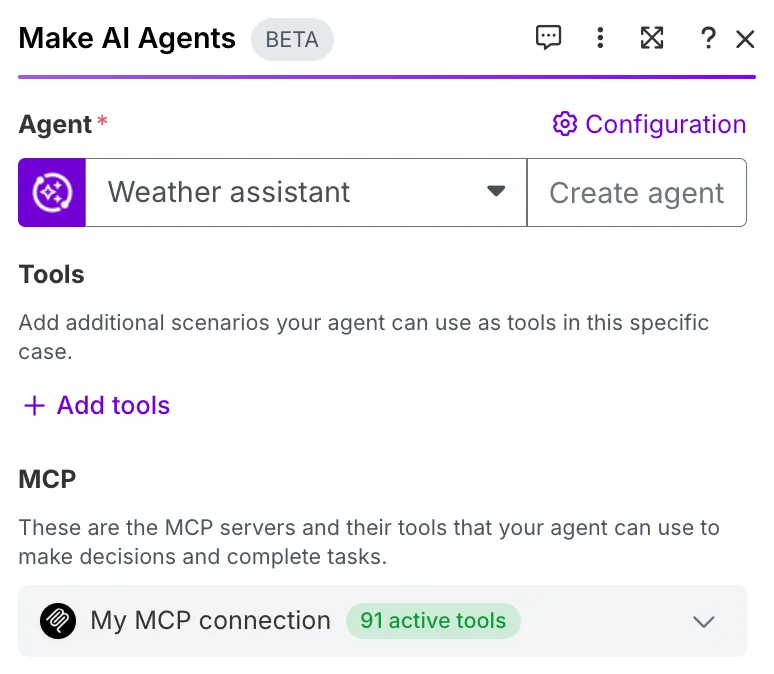
Within the Make AI Agents > Run an agent module, you can click the drop-down to check all the active MCP tools added to your AI agent.