New module output search, raw data view, undo and redo, and Gemini 3.5 Flash
Here's a quick look at our most recent product improvements and fixes.
Search in module output
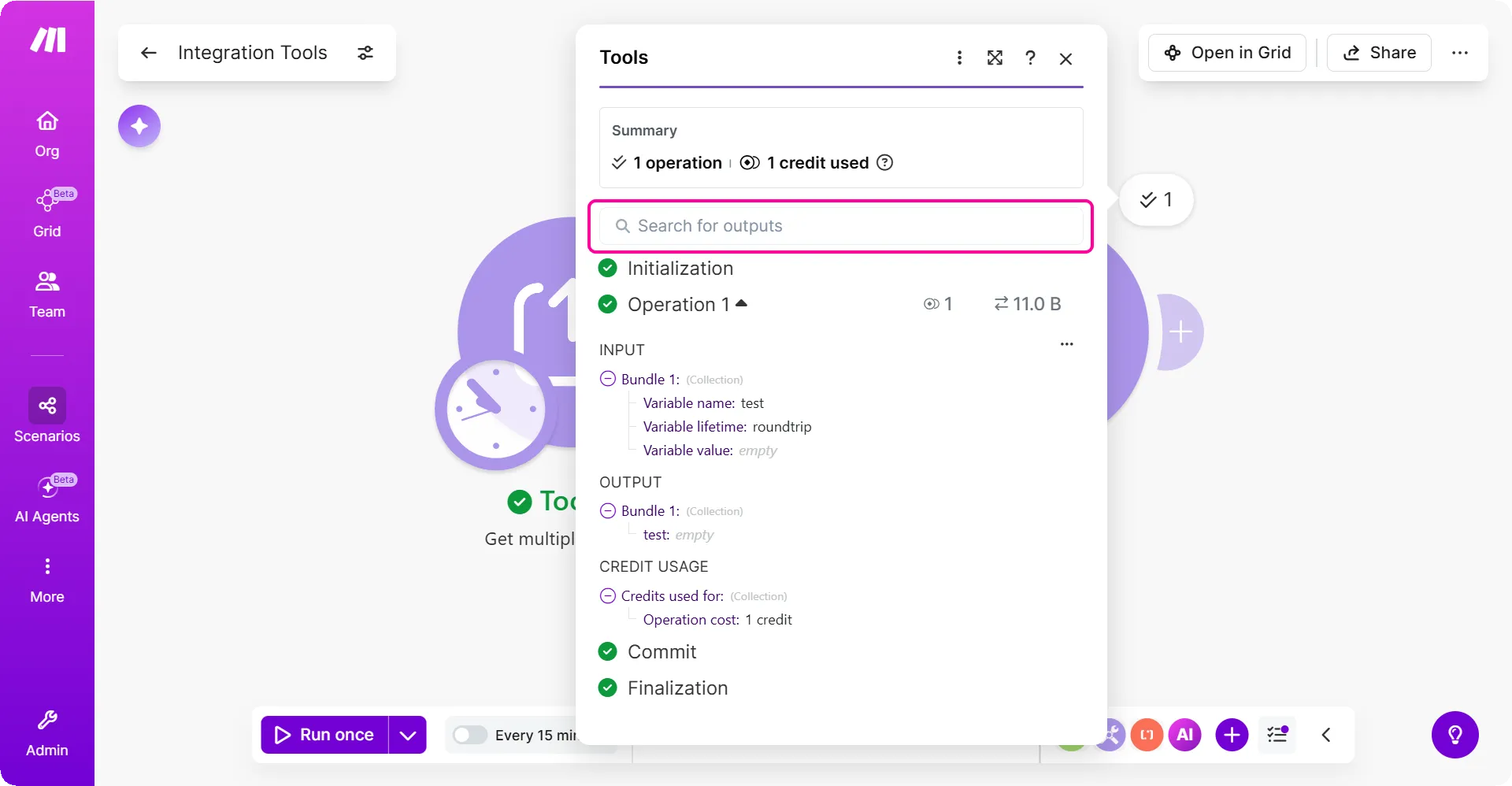
You can now search inside the module output dialog to find the data you need faster. Search by key or value to inspect large outputs without scanning every field.
Key benefits
- Find keys faster: Jump straight to the field you need when you are checking module output.
- Match exact values: Search for specific values to confirm the data a module returned.
- Review large outputs with less effort: Move through complex payloads faster when a module returns many fields.
Where to find it
To view the search option of a module output:
Run your scenario in the Scenario Builder.
Click the output bubble above a module.
You can now search for values in your output bundle.
Raw data view for module bundles
You can now view, copy, or download the raw bundle data of any module. Use the raw data view to understand input and output data, share it with support, or work with it outside of Make.
Key benefits
- View formatted JSON: Bundle data displays in JSON with syntax highlighting, so you can spot fields, nested objects, and values when troubleshooting.
- Copy content: Copy input or output bundle data to paste into tickets, chats, or your own tools.
- Download as JSON: Save data as JSON files to send to support or inspect in your preferred editor.
Where to find it
To view the raw bundle data of a module:
In the Scenario Builder, click the output bubble above a module.
Once you expand an operation, click the three-dot menu next to Input.
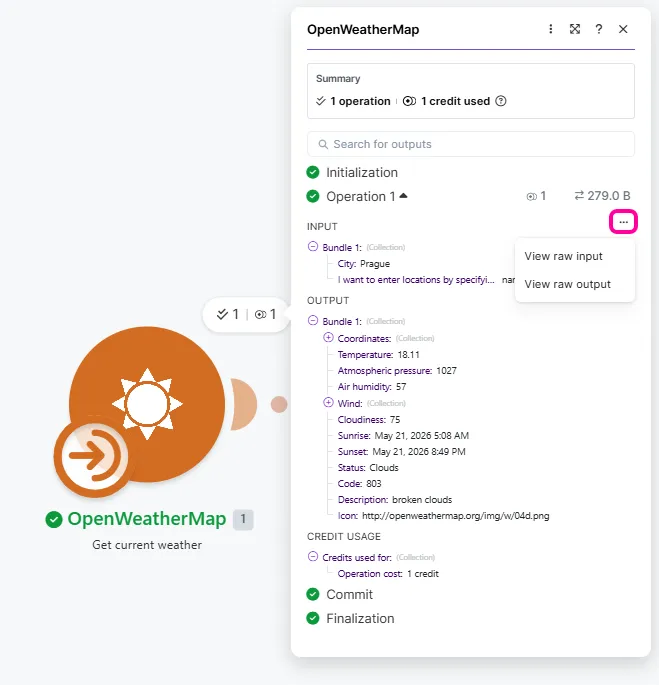
Select View raw input or View raw output.
Optionally, copy or download the input or output bundle data.
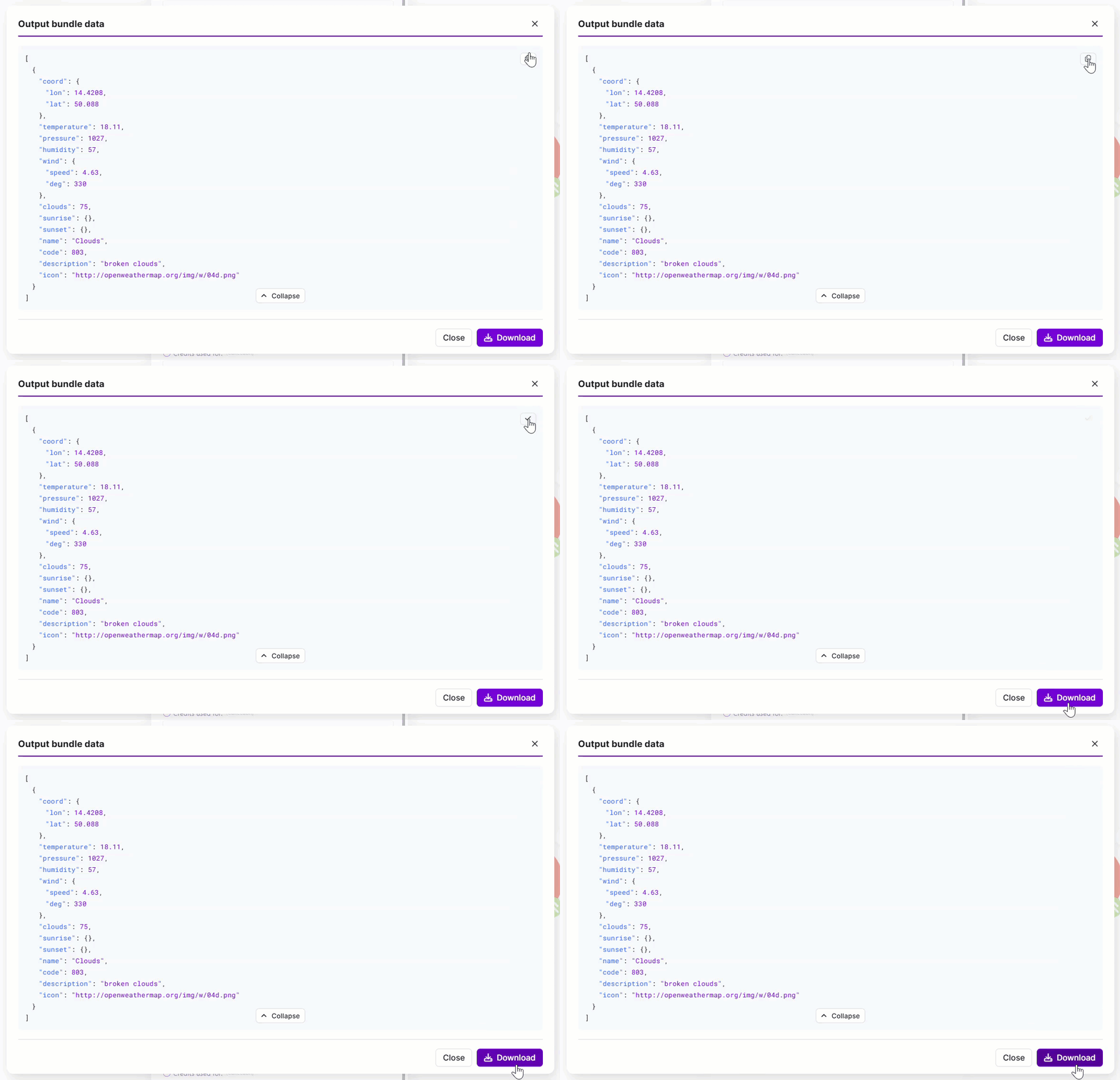
You've now viewed the raw bundle data of a module.
Gemini 3.5 Flash now in Make
Google has introduced Gemini 3.5 Flash, a new model that coordinates multi-step workflows with minimal input and preserves its reasoning across long exchanges.
Key benefits
- Quick prototyping: Test alternate solution paths as you build. The model generates and compares variations so you can move from idea to working approach faster.
- Autonomous execution: The model runs multi-step workflows and iterates in seconds, sustaining performance across longer tasks without manual intervention.
- High-volume processing: The model processes documents at scale for extraction and classification, so you can handle larger volumes without adding manual review steps.
- Low-latency responses: The model preserves its reasoning across exchanges, so you don't re-explain your approach with each new request.
Availability
Use Gemini 3.5 Flash in these apps:
Undo and Redo now available in the Scenario Builder
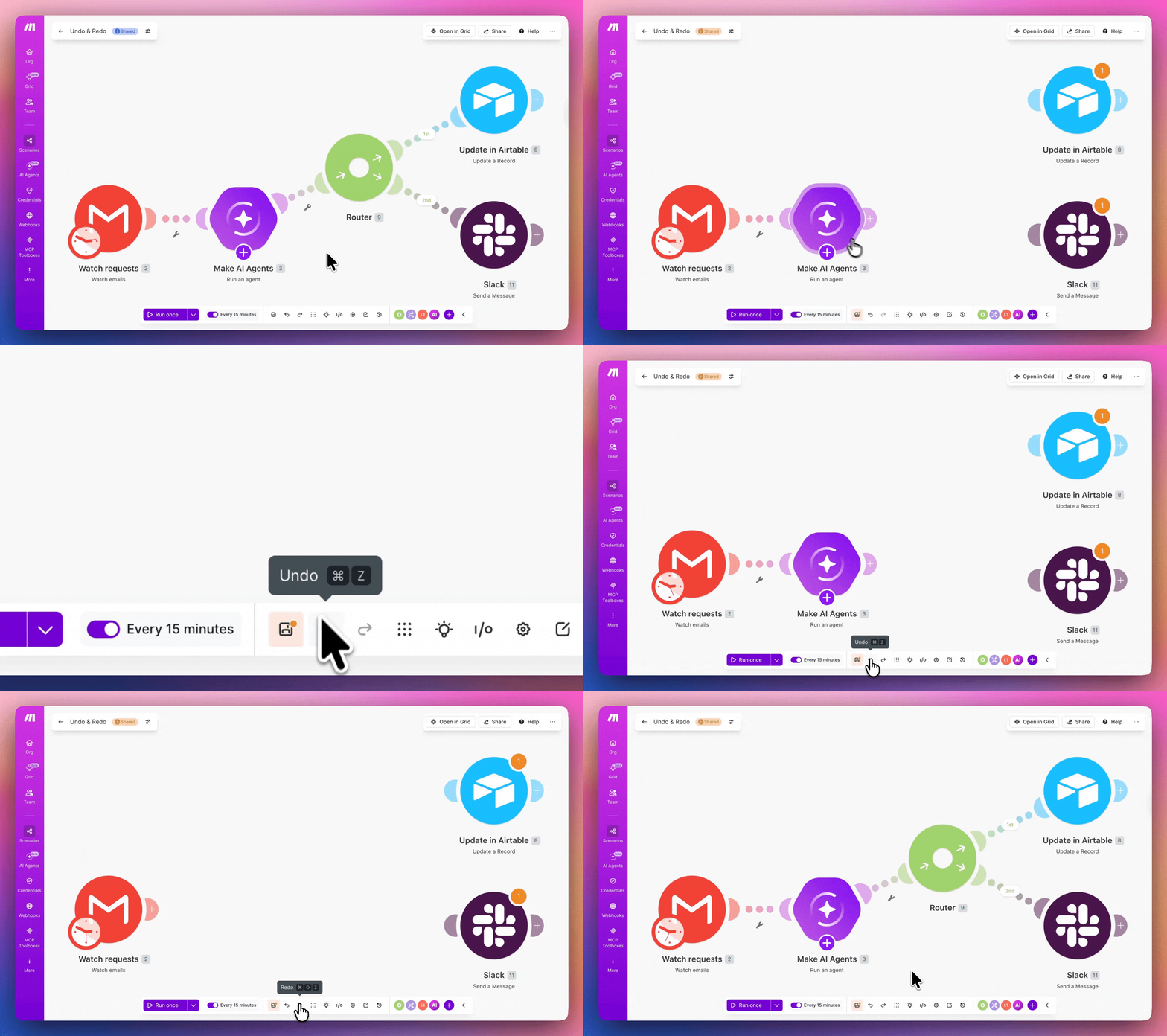
You can now reverse or reapply changes to scenarios with Undo and Redo in the Scenario toolbar. Test, rearrange, and correct scenarios without manually rebuilding modules, routes, or mappings.
Key benefits
- Scenario edit control: Undo or redo changes while building your scenarios.
- Keyboard shortcuts: Use Cmd+Z to undo and Cmd+Shift+Z or Cmd+Y to redo.
- Scenario structure edits: Reverse changes to modules, connections, routes, and module placement so you can build with less rework.
- Module configuration edits: Undo field mappings and text in modules to correct input changes without re-entering values.
- Scenario testing: Try structural or configuration updates to your shared scenarios before applying them.
Availability
Undo and Redo are available to all users in the Scenario toolbar of the Scenario Builder.
To learn how to use them, see Undo and redo scenario changes.