monday.com app v1 to v2 transition by May 1, 2026
We've released a new version of the monday.com app in Make. Here's what's changing and what you need to know.
What's changing?
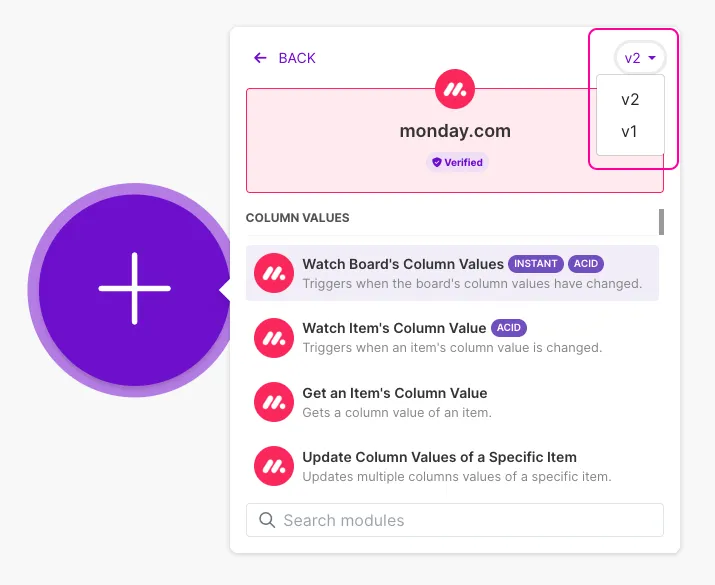
Monday.com is updating their API version, and we've released a new version of the monday.com app in Make to support it. While we explored all options to maintain backward compatibility, this change requires an update to how the Make monday.com app works.
Support timeline:
- Now through May 1, 2026: Both v1 and v2 are available and fully supported.
- After May 1, 2026: v1 will no longer be supported. Scenarios still using v1 modules may stop working or return errors.
Who is affected?
- Everyone using monday.com: You'll need to upgrade all your modules from v1 to v2 by May 1, 2026. If your scenarios use specific modules with mapping changes, you'll need to update your mappings before or during the upgrade. See below to check if this applies to you.
- Not using monday.com? No action needed.
Do your modules have mapping changes?
Before you upgrade, check if you're using any of these affected modules. If not, skip to the upgrade steps.
Affected Module Type 1: Discontinued fields
- Modules: List Boards, Get a Board
- What changed: These fields no longer exist: border, var_name, done_colors, color_mapping, labels_position_v2, hide_footer
- What you do: Remove mappings that reference these fields.
Affected Module Type 2: Timestamp renamed
- Modules:
- Get & List: Get an Item, Get an Item's Column Value, List Board's Items, List Group's Items
- Search: Search Items in the Board by Column Values, Search Items in the Board by Column Values (advanced)
- Watch: Watch Board's Items (poling trigger), Watch Board's Items by Column Values, Watch Group's Items, Watch Board’s Column Values, Watch Item's Column Value
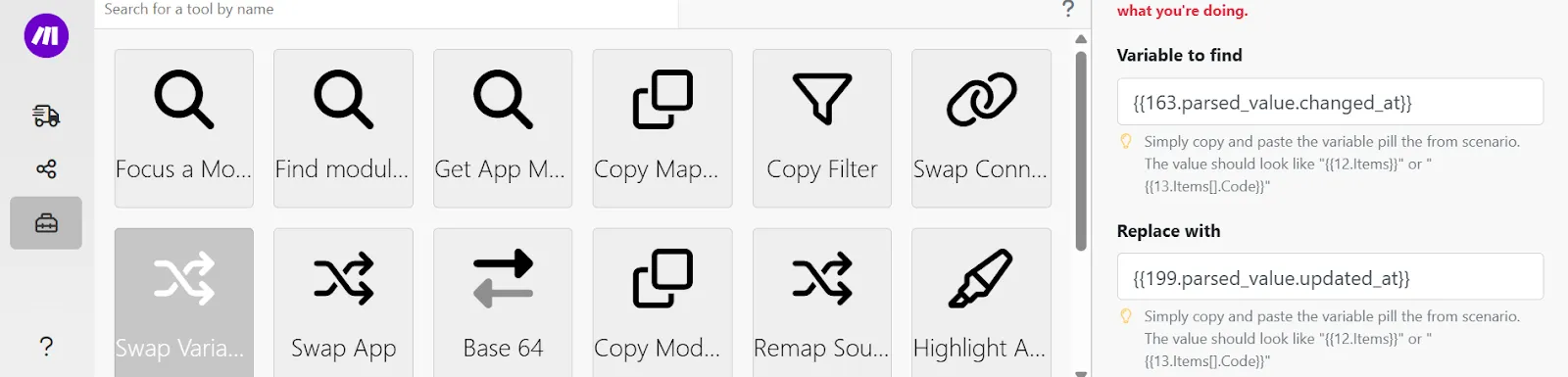
- What changed: changed_at timestamp is now updated_at
- What you do: Remap any mappings using changed_at to use updated_at instead.
How to upgrade
Step 1: Replace your v1 modules. In the Scenario Builder, look for the green upgrade arrow on your monday.com modules. Click it, then select "Show me new modules" to upgrade to v2.

Step 2: Update affected mappings (if applicable). For any modules listed above, find and remove or remap the discontinued or changed fields.
Step 3: Test your scenarios. Run your scenarios to ensure they work correctly.
Tip: Speed up your migration
You can use the Make DevTool to speed up your migration. Use the Swap Variable function to update mappings more efficiently across multiple modules instead of editing each one individually.
Where to learn more
- Technical documentation: monday.com