Pause your subscription
1 min
You can pause your subscription at any time from the Subscription tab of your organization.
Only users with the Owner or Admin role can pause the subscription.
Pause subscription
To pause your subscription:
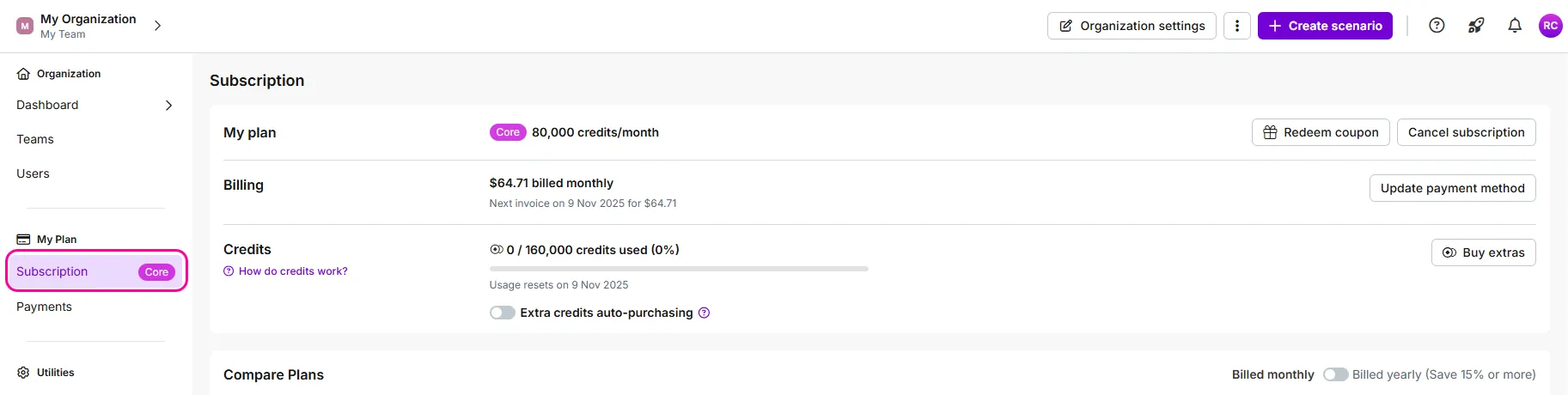
Navigate to Org on the left sidebar, then to the Subscription tab in My Plan.
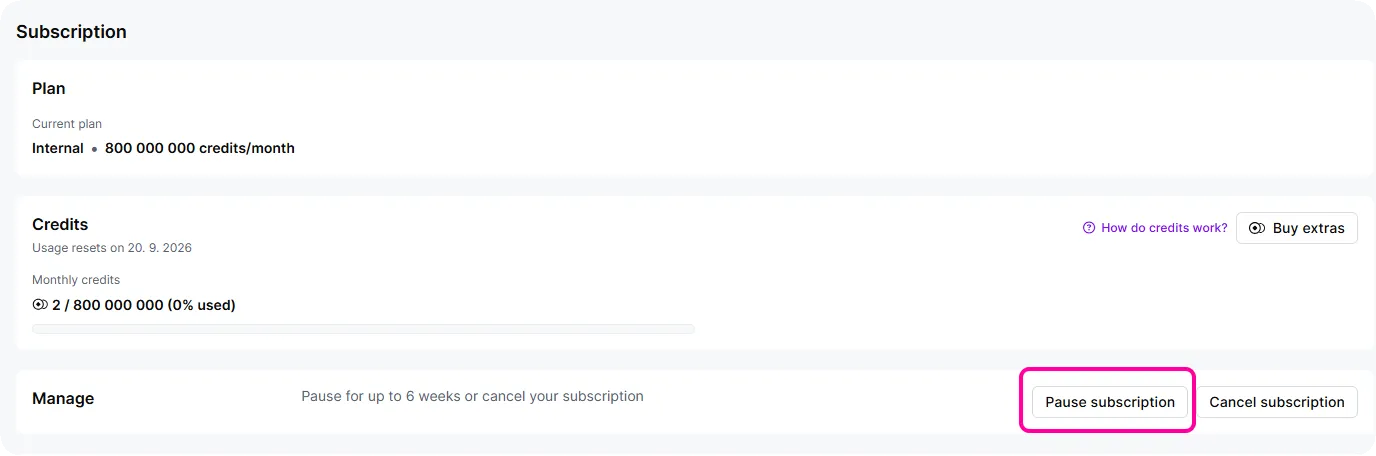
In the Manage section, click Pause subscription.
In the dialog box, select the period to pause the subscription.
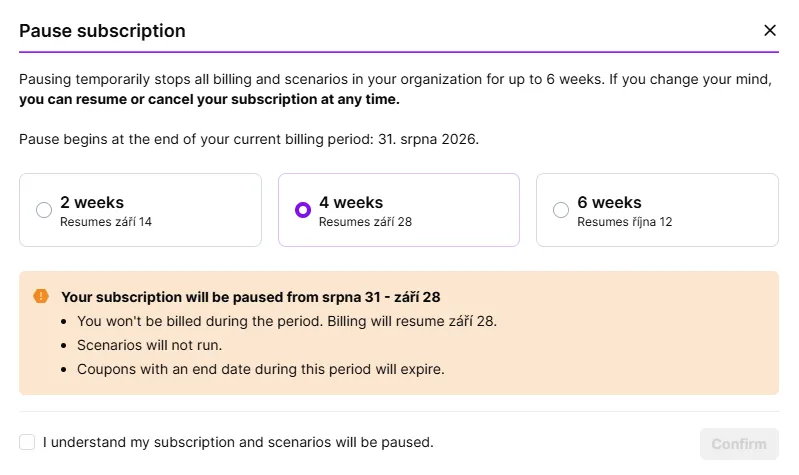
Check the I understand my subscription and scenarios will be paused checkbox.
Click Confirm.
You've now paused your subscription successfully.