Scenario history
Scenario history contains information about scenario runs and user changes to the scenario. To find it, click a scenario in the scenario list, then go to the History tab.
Scenario run and change log entries
In the Scenario history, scenario run entries include the following information:
- Run date and time
- Run name
- Trigger or activity type
- Status (Success, Warning, Error)
- Run duration
- Operationsoperations completed
- Creditscredits consumed
- Size of transferred data
- Source run
- Scenario run replayScenario run replay
- DetailsDetails
Change log entries record the following user actions:
- Scenario scheduling changes
- Scenario edits
- Scenario activation
The number of days your scenario run history entries are stored depends on your pricing plan. For details, see Make's pricing page.
Scenario history details
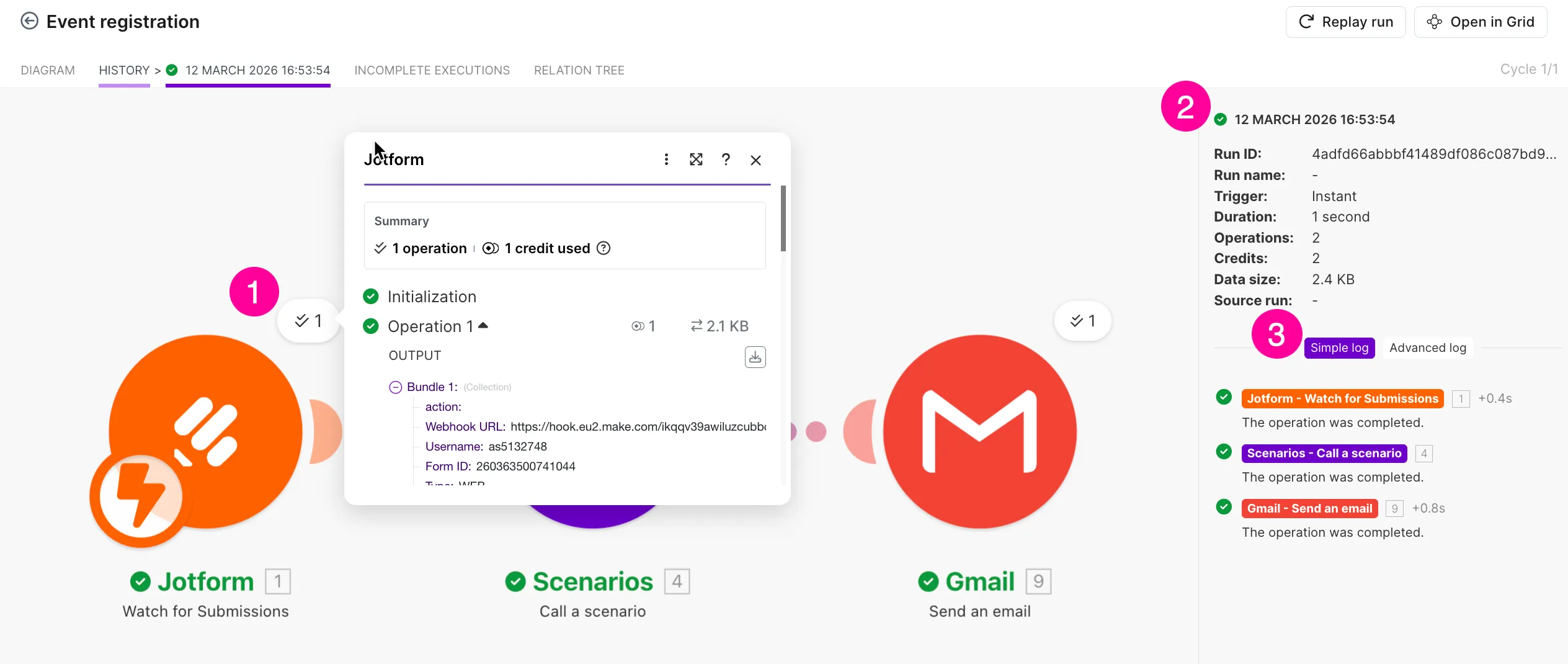
You can view full information about a specific scenario run, including the bundles processed, in the Details of the History tab. This allows you to inspect module outputs and logs and understand how a scenario behaved – for example, if a module returned an unexpected value.
To view scenario run details:
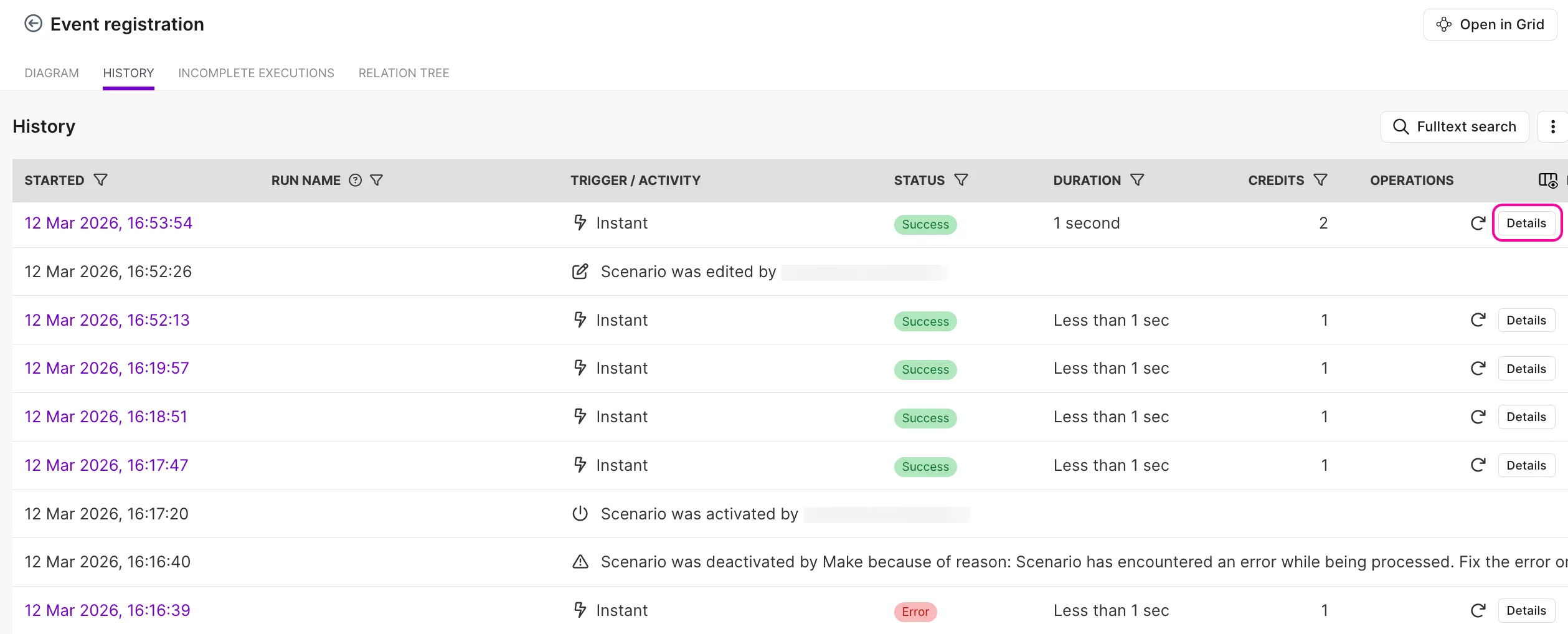
Find the scenario run entry in the History tab.
Click Details on the right-hand side of the entry.
In Details, you can:
- Check the output bundles of a specific module from that scenario run.
- See general information about the scenario run.
- Switch between a simple log and an advanced log.
Filter Scenario history
To customize the columns you want to see in your Scenario history:
Click the filter icon on the right-hand side of the Scenario history.
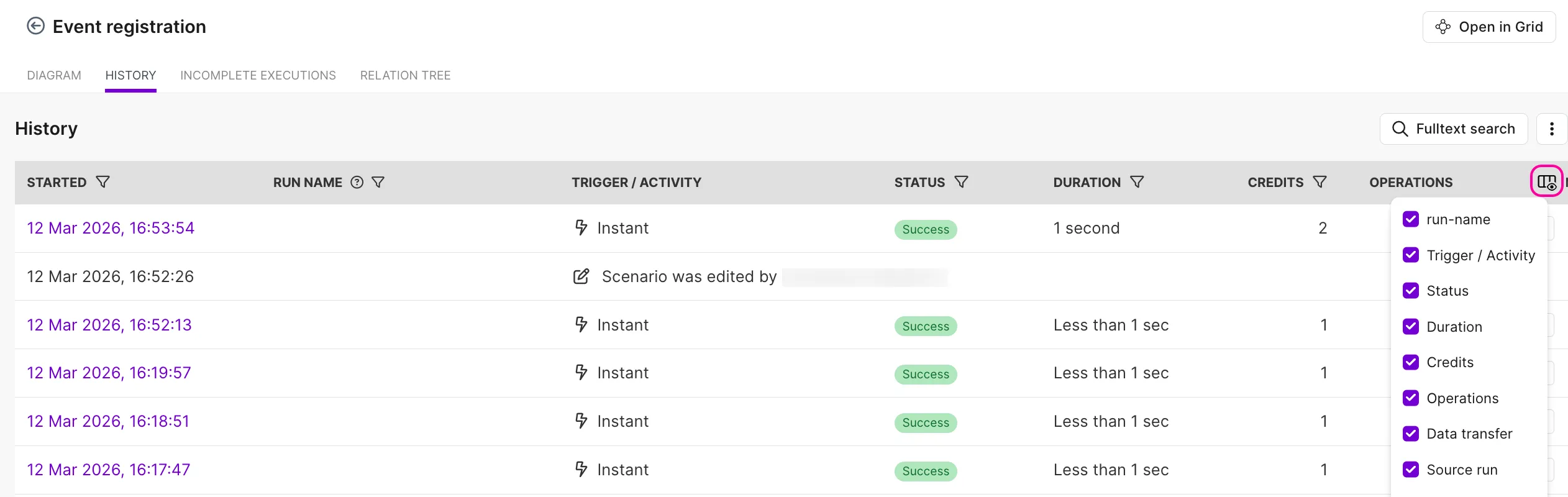
In the dropdown, unselect the columns you want to hide.
The History tab now displays only the selected columns.
To hide change log entries or check runscheck runs:
Click the three dots in the upper-right corner of the History tab.
Enable or disable Hide check runs and/or Hide change log.
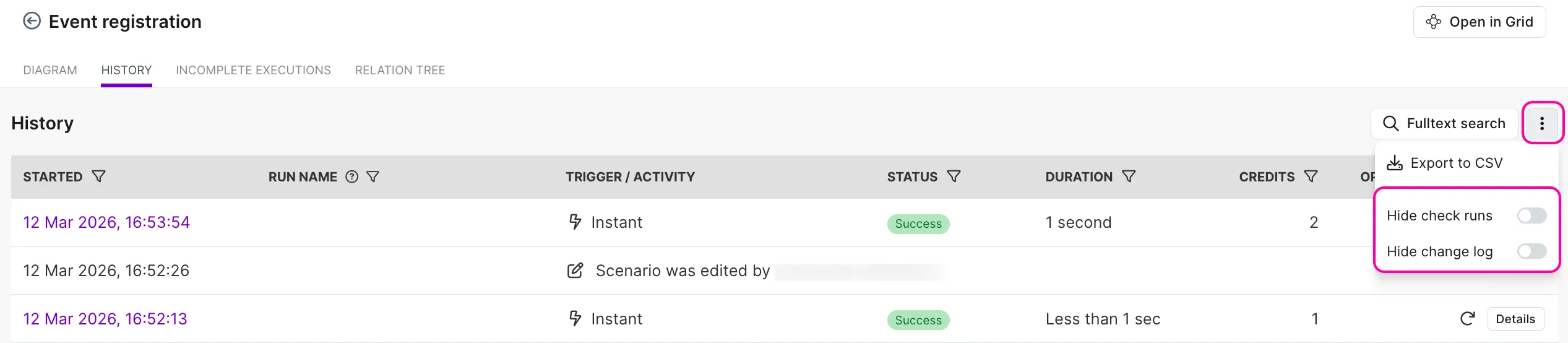
If you disable the check runs, the scenario history won't display scheduled scenario runs that check for new data, but don't return anything. If you disable the change log, the scenario history won't display any changes made in the scenario (e.g., edits, activation).
Export Scenario history
You can export your scenario history as a CSV file for a deeper analysis. To do that:
Click the three dots in the upper-right corner of the History tab.
Select Export to CSV from the dropdown menu.
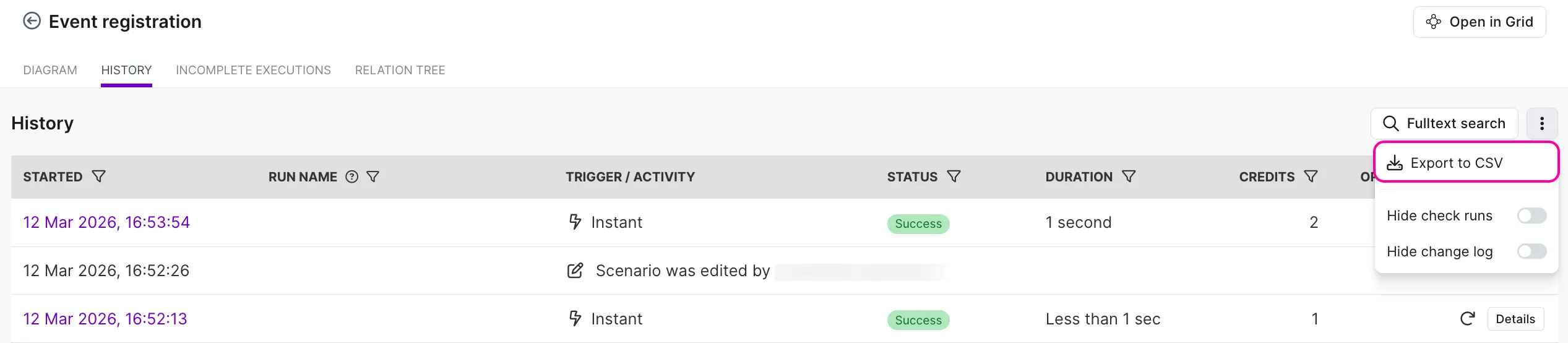
The CSV file downloads to your device. It will include key scenario execution details like execution status, timestamp, author, operations count, execution duration, and the link to examine the execution.
Full-text execution log search
Available on Pro and higher plans. If you upgrade from lower tiers, Fulltext search will only display executions that were run after the upgrade.
Instead of going through the details of each scenario run entry one by one, you can use the Fulltext search to quickly find a specific entry. This feature lets you search for any term appearing in module outputs within the scenario execution history.
Example: Suppose you ran a scenario that receives new registrations to the Jotform > Watch for Submissions module and adds registered participants to your database. If the scenario run was successful but a participant wasn't added, you can search for the participant’s name using the Fulltext search. This may help you quickly identify the issue and troubleshoot effectively.
To look for an entry in the Fulltext search:
In the History tab, click Fulltext search.
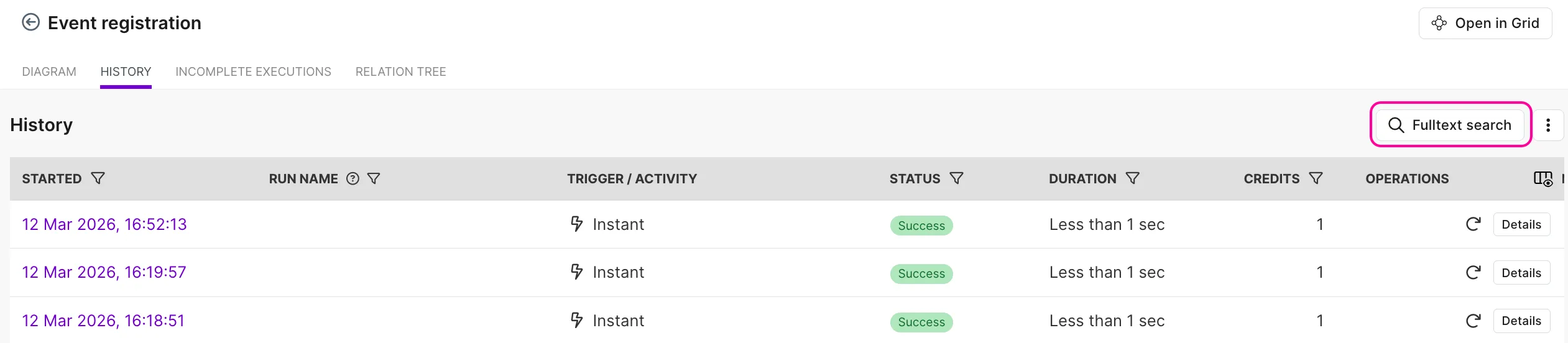
In the search box, enter the word or term you want to find.
Click the relevant search result.
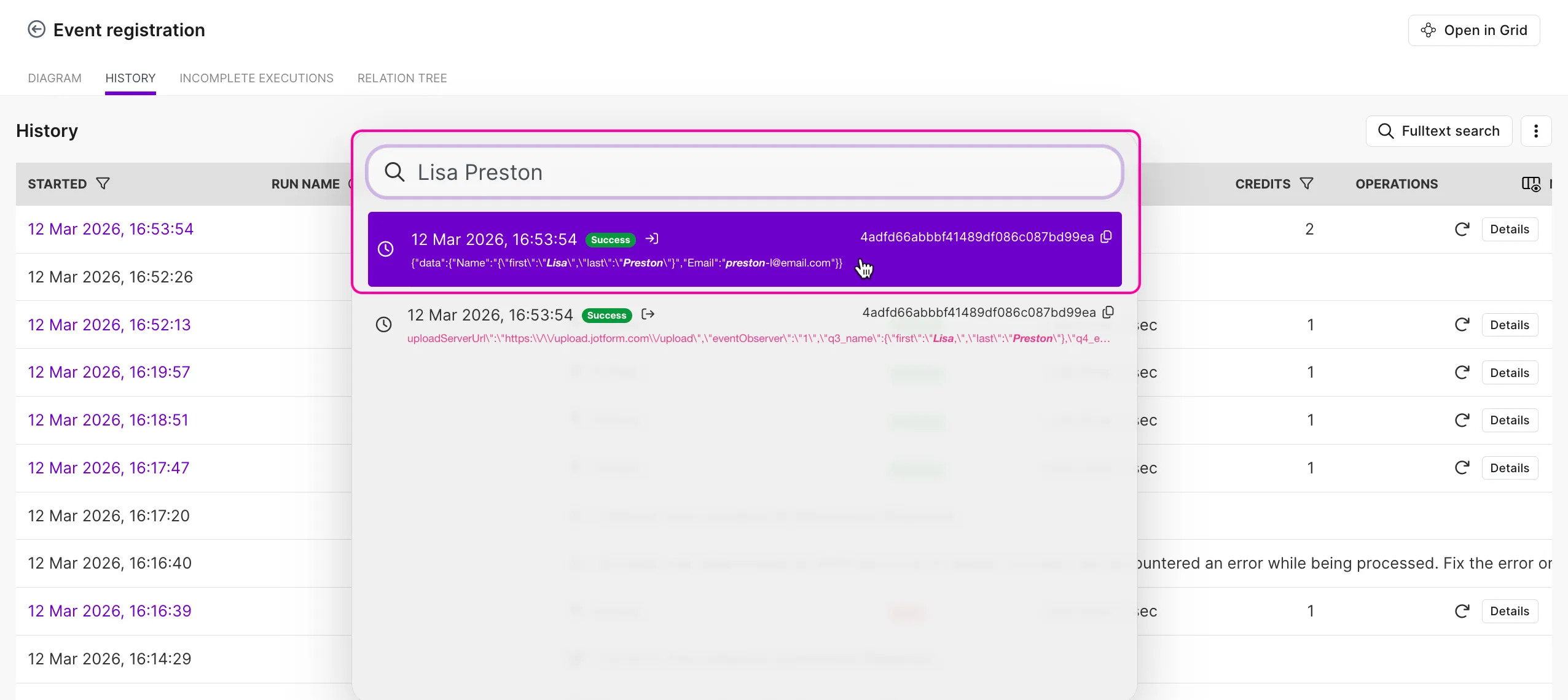
You’ll be redirected to the execution log containing the module and the bundle that includes your search term. From there, you can inspect the details.