Skip error handler
The Skip error handler skips the error or the failed bundle from the scenario flow and continues processing the remaining bundles. The scenario run continues with the next bundle. The Skip error handler prevents turning off the scenario when there's an error and marks the scenario run as a success even in case of errors.
When to use it: Use the Skip error handler when incorrect data in your scenario has no impact on your processes and occasional data loss is acceptable. This handler is best suited for situations where keeping the scenario running takes priority over processing every bundle.
For example: Amy gets new customer information from the customer sign up form, and adds this to her CRM. Sometimes users submit this form twice by mistake causing duplicate entries and the CRM rejects the enrty. To prevent the scenario from stopping, Amy adds an Skip error handler to her CRM bundle to skip the error for duplicate entries and moves on with the next steps.
For more information about error handling strategies check the Overview of error handling .
How the Skip error handler works
When a module encounters an error, the Skip error handler drops the problematic bundle and moves on to the next one. This prevents the error from disabling the scenario or interrupting the process.
Use the Skip error handler
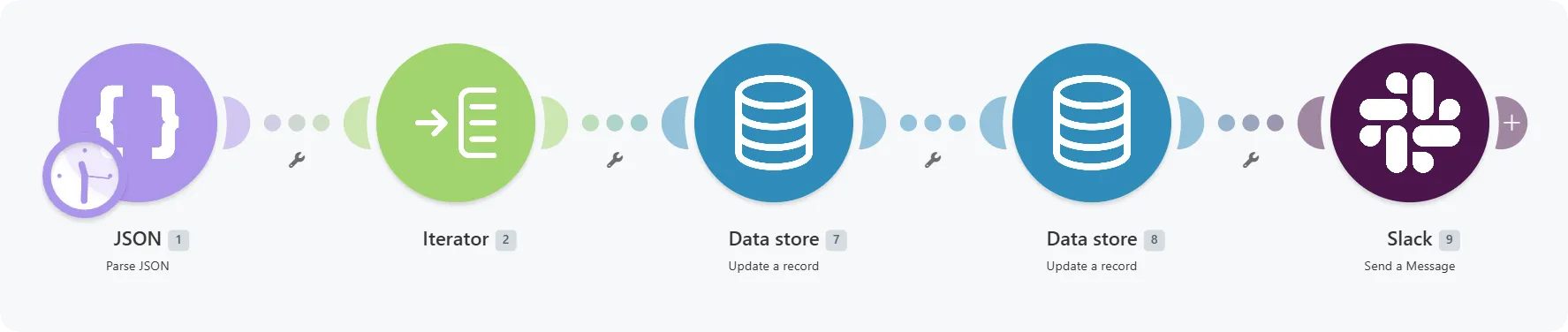
This demo scenario contains five modules.
- JSON - Parse JSON provides test data in the form of an array of ten record IDs.
- Iterator splits the array into individual bundles.
- Data store - Update a record Updates the data in the data store.
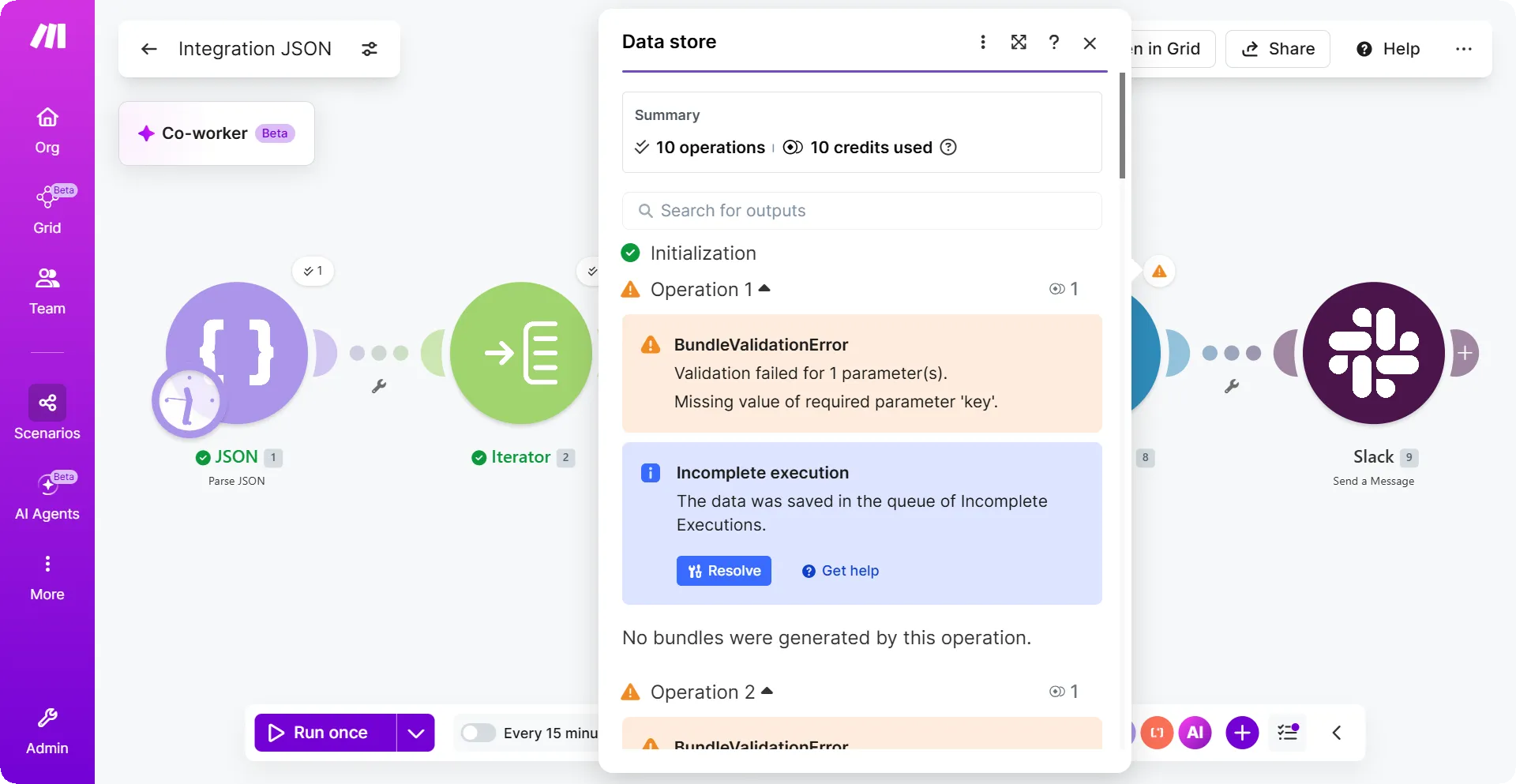
- Data store - Update a record This module updates the data again. This time the module works differently. In the module mapping, there is a mapping that intentionally creates an error:

- The mapping inserts a null value into the required Key field, which always creates the BundleValidationError.
- Slack - Send a message: Sends a message to a private testing channel.
This is how the example scenario looks:
When we run the example scenario, we would get the BundleValidationError:
Let's see how to handle this error using an Skip error handler.
Right-click the data store module that failed and click Add error handler.
From the list of error handlers, click Skip.
Click Save.
You've successfully added the Skip error handler to your scenario.
What happens when you run the scenario after you add an Skip error handler.
With the Skip error handler, you can skip the bundle that causes an error from the scenario flow and process the rest of the bundles in the scenario. In addition, Make will keep running your scenario on schedule instead of disabling scheduling because of an error.
When we added the Skip error handler to the Update a record module, the Skip error handler would skip the bundle from the scenario flow. The bundle doesn't enter the fifth (Send a message) module. The bundle from the third module passes through the scenario.
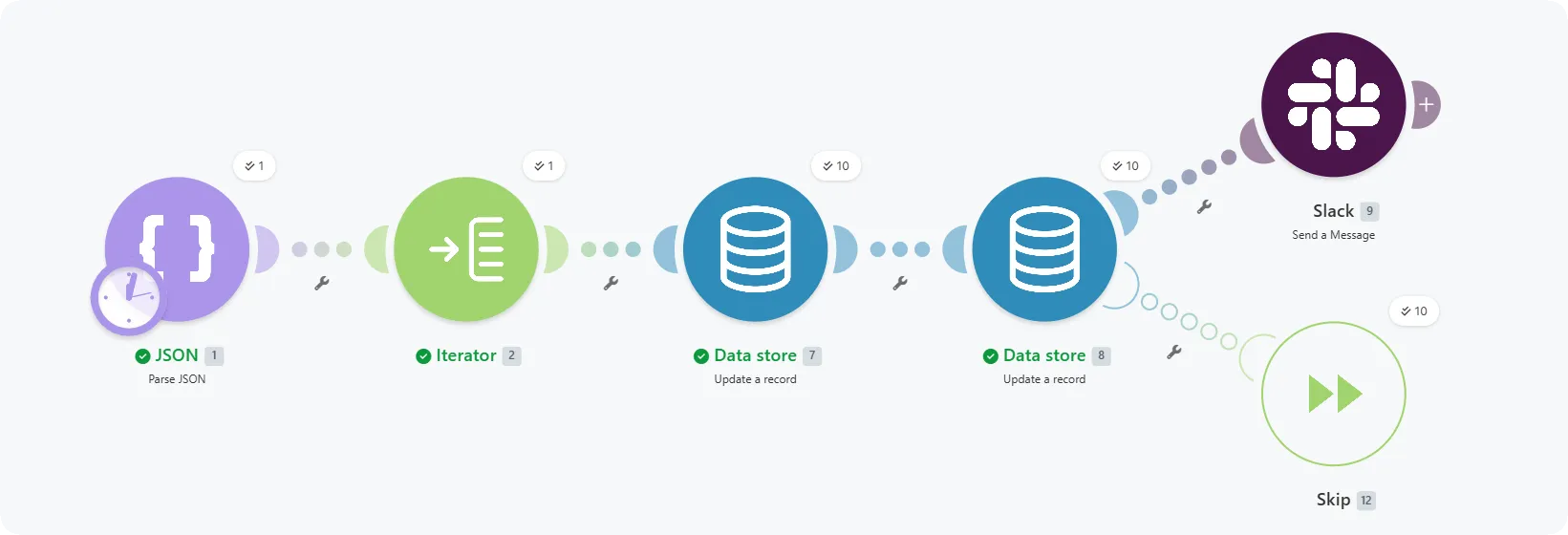
Your scenario keeps running regardless of errors. When an error occurs in the Data store module, the Skip error handler removes the bundle from the scenario flow.