Unified canvas navigation
2 min
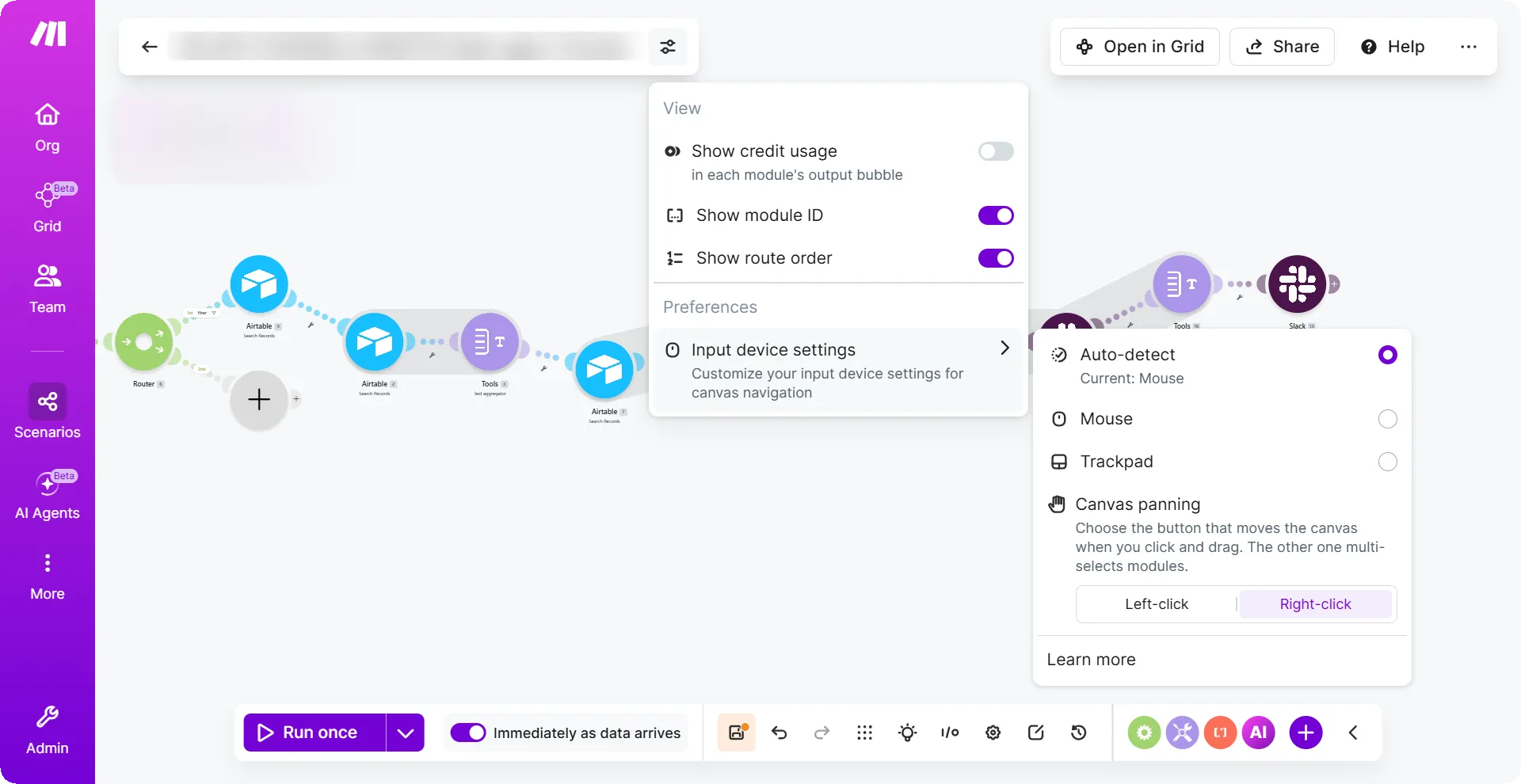
The canvas interaction model lets you customize how you navigate the scenario builder in Make based on your input device. Make detects your input device automatically and also lets you override the default settings to match your preferences.
Key benefits
- Match your hardware: Configure canvas controls for a mouse, trackpad, or touchscreen so navigation feels natural on any device.
- Swap panning controls: Choose whether left-click or right-click pans the canvas, assigning the other button to multi-select.
- Override auto-detection: Set your preferred input mode manually when the detected default doesn't match your setup.
- Persist your preferences: Settings save across sessions so you don't have to reconfigure each time you sign in.
Where to find it
To change your canvas interaction settings:
- In the Scenario Builder, click Canvas options next to the scenario name.
- In Canvas panning, select Left-click or Right-click to set your preferred panning button.
Learn more
For more information about canvas navigation, see Canvas interaction model.