Make AI Agents: Next Generation Automation
Thank you for participating in the Make AI Agent closed beta!
Make AI Agents are intelligent autonomous systems that can analyze information, make decisions, and take actions within your Make scenarios. This guide describes the key features and shows you how to create your first agent.
Key improvements and features
Make AI Agents are fully integrated into the Make Scenario Builder, so you work with them alongside your other automations in one place. You can see how your agents make decisions, test changes in real-time, and share your work with teammates.
Build in a unified canvas
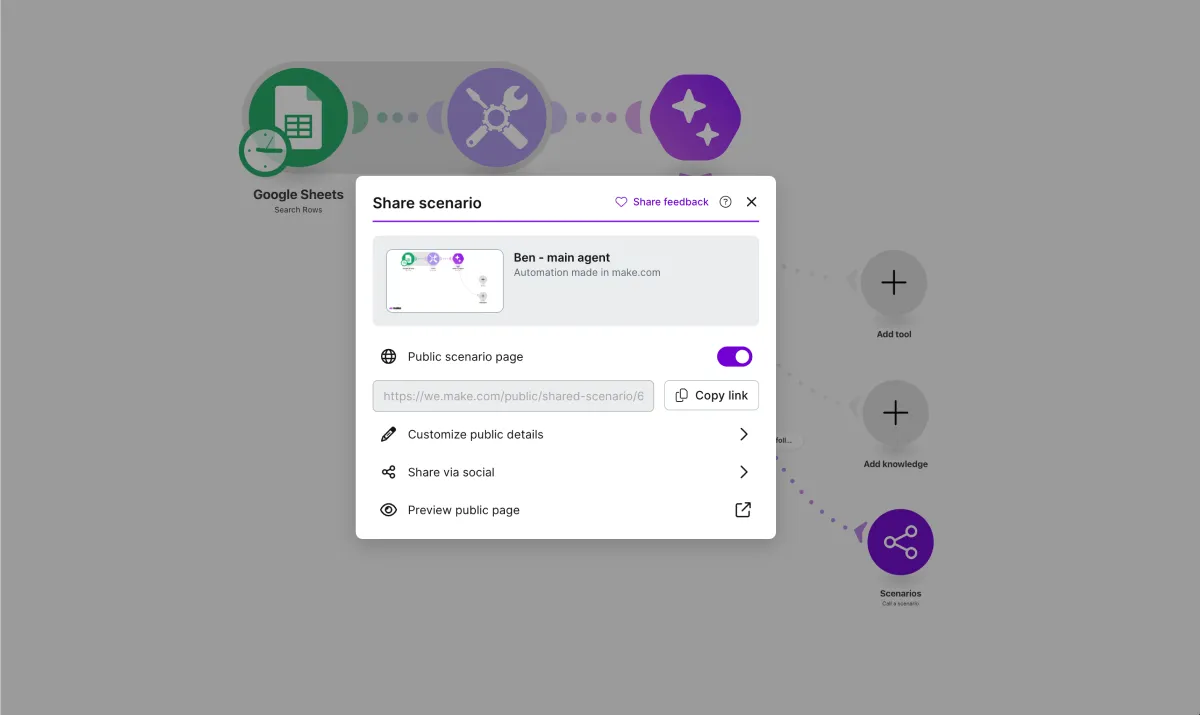
Agents built-in canvas: AI Agents run directly in the Scenario Builder, the same environment you use for all other automations. You no longer need to switch between different screens. Everything you build—agents, and scenarios—stays in one place.
View agents reasoning and chat
Two features help you understand how your agent makes decisions.
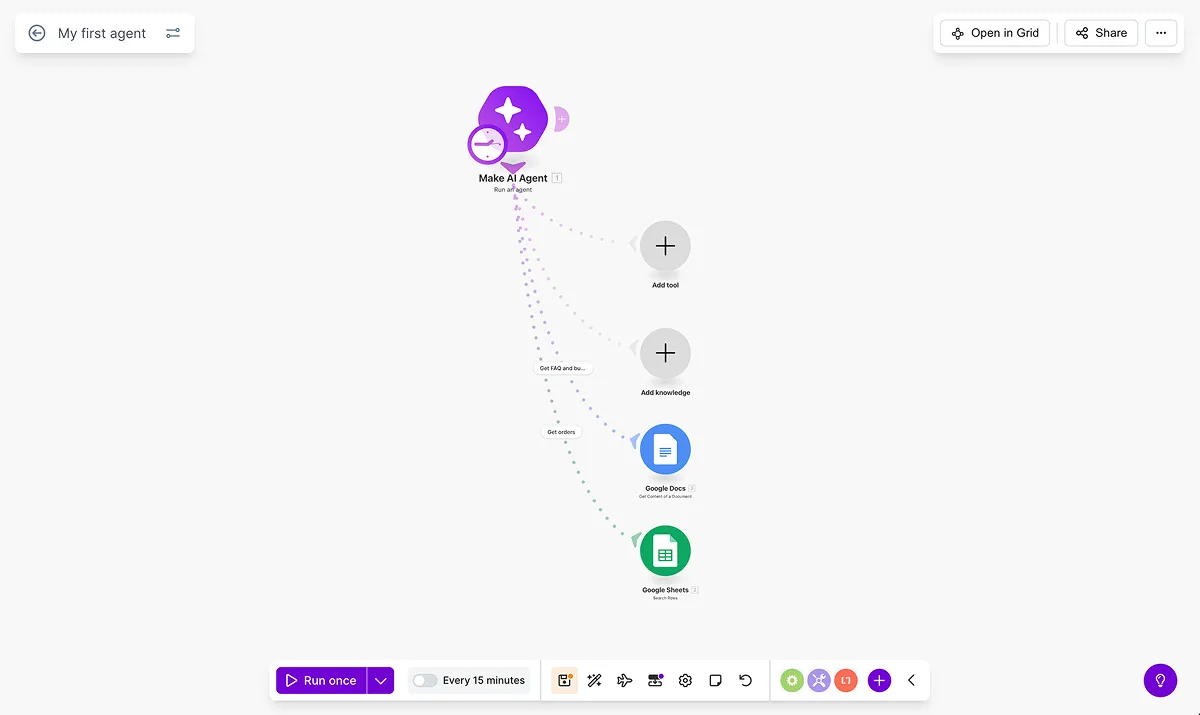
Reasoning tab: When your agent runs, the Reasoning tab displays a step-by-step log of the agent's actions. You can see what the agent thought about, which tools it used, and what decisions it made. This transparency helps you debug, refine, and trust the agent's behavior.
In-canvas chat: You can chat with your agent directly in the canvas. Chat with the agent during development to test its behavior and make changes without running the full scenario.
Expand agents capabilities
File input: Your agent can accept a file as input to trigger its process. For example, an agent can analyze an invoice, summarize a report, or extract information from a document.
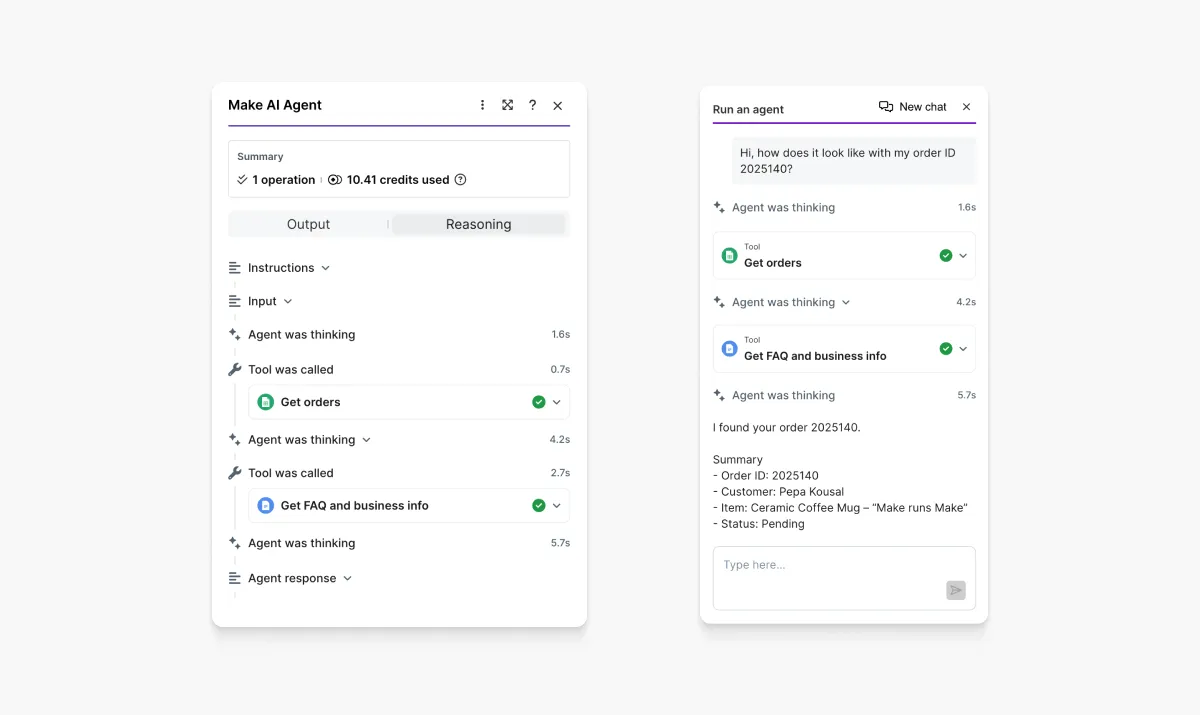
Knowledge (formerly Context): Upload files that your agent can reference during execution. The agent searches these files when it needs specific information. Use a knowledge base to provide your agent with accurate, up-to-date information without including the full content in each run.
Share and reuse agents
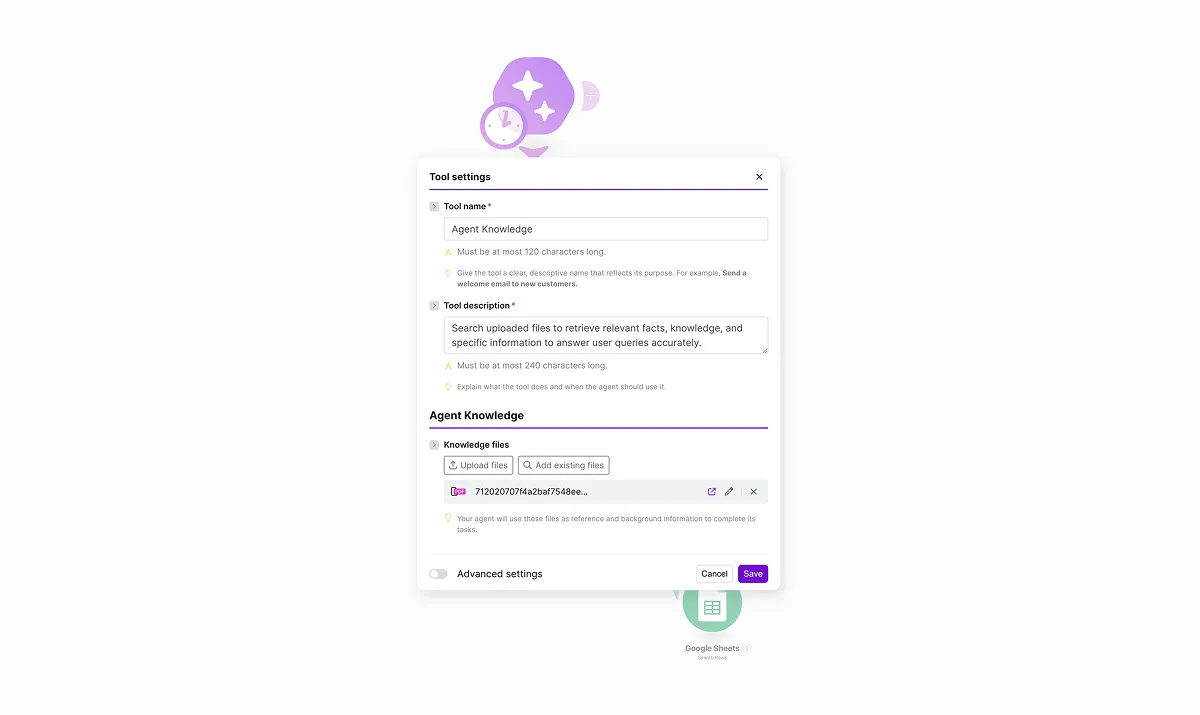
Scenario-based sharing: Agents are part of your Make scenario. When you share a scenario, the agent configuration is included automatically. Others can import your scenario, modify the agent, and deploy it.