Make AI Agents (New)
Make AI Agents (New) best practices
4 min
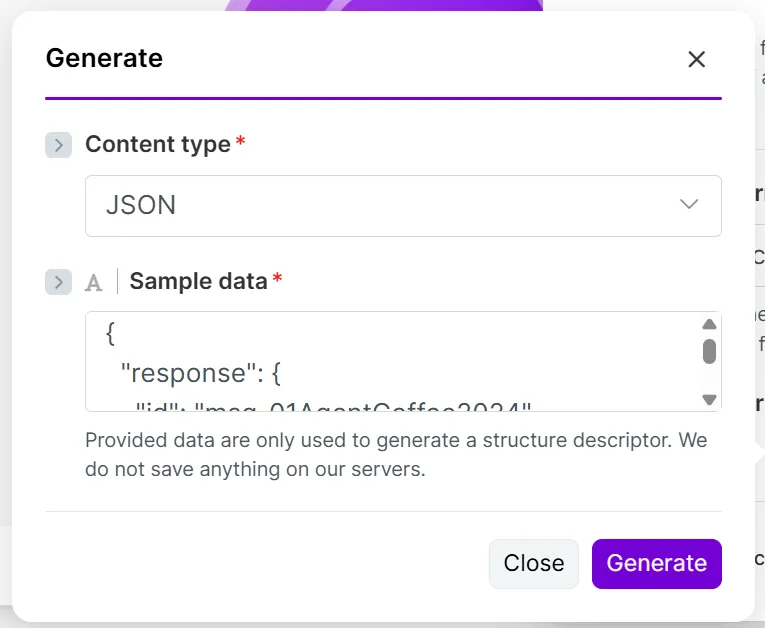
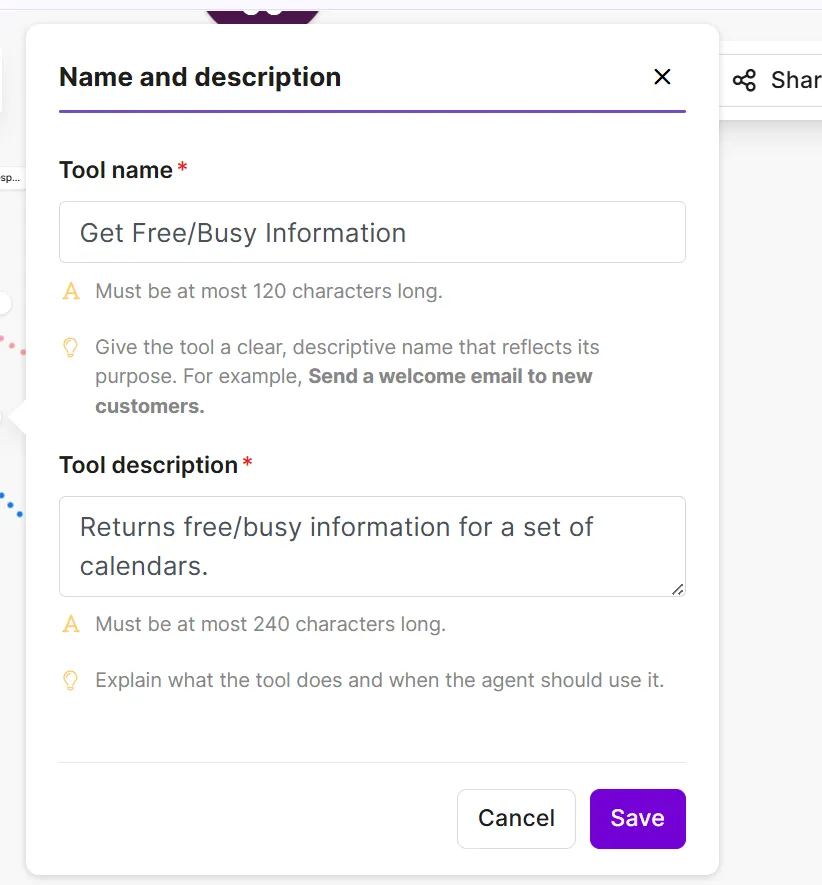
agents need a well designed setup and instructions to perform as expected in this guide, discover tips for building ai agents in {{product name}} , such as tool naming, prompting, and data access tools tools are your agent's hands and actions they give your agent the capabilities to perform its tasks by connecting to third party services, such as apps and mcp servers tool names and descriptions your agent chooses the right tool for a task based on its name and description when adding a tool, clearly describe what the tool does and when to call it for example tool name "add customer email to spreadsheet " tool description "adds a new customer email address to the customer contacts spreadsheet do not add if email address is invalid or already exists " additionally, in the agent's instructions or inputs , specify correct tool names and when to call the tools tool inputs and outputs define tool inputs and outputs to help the agent understand the data to pass into tools and the data that they return to the agent when your tool is a scenario, you define inputs and outputs automatically when you build the {{scenario singular lowercase}} example of input and output items input items customer email address, first name, last name, email body, and row id from a spreadsheet output items email timestamp and success status in instructions , add tool input and output examples so the agent has a reference for the data you expect to receive sample input and output examples example input { "subject" "meeting reschedule request", "email address" "sarah johnson\@company com", "content" "hi, i need to reschedule our 2pm meeting today something urgent came up can we do tomorrow at the same time?", "sender name" "sarah johnson" } example output { "response" "subject re meeting reschedule request\n\nhi sarah,\n\nno problem at all i understand things come up! tomorrow at 2pm works perfectly for me \n\ni'll send you a new calendar invite shortly looking forward to connecting then \n\nbest,\n\[your name]" } tool output validation if you want a workflow where the agent asks you to review a tool's output before going to the next step, add a tool that sends it to you to review explain this requirement and extra step in the agent's instructions for example, instruct the agent to send the email from a gmail > draft an email module to you on slack using a slack > send a message module reply to the slack message to confirm the draft or request further changes instructions instructions are like a briefing document for your agent a vague or incomplete briefing creates more opportunities for unpredictable results items to include to help your agent perform as expected, include these items in your instructions all steps that the agent takes to complete its tasks tools that the agent calls at each step, including their names and what they do knowledge files to reference at each step and what they contain guardrails that define expected and undesirable behavior examples of inputs and outputs, including their expected formatting examples of exceptional situations and how to respond formatting organize your agent's instructions with headers, bullet points, or numbered lists so that your agent can easily understand them optionally, to make them even clearer, use an llm to rewrite your instructions in markdown example the following is a simple example of agent instructions to use as a template lead qualification agent you autonomously process inbound leads, research companies, and draft personalized email responses inputs sender email lead's email address sender name lead's name email subject email subject line email body email content thread id gmail thread id available tools research lead information research companies get freebusy information check calendar availability create email draft create gmail draft (html format required) workflow 1 extract company info get domain from sender email identify company name and sender details 2 research the company call research lead information to gather industry and company size products/services offered recent news or funding potential pain points 3 qualify the lead assign a score based on high target industry + clear budget + specific inquiry medium relevant industry but unclear fit low outside target, generic inquiry, or spam like 4 decide on the meeting propose meeting if high qualification score clear business opportunity specific request or need near term timeline skip meeting if low score or generic inquiry information only request no commercial intent 5 get meeting availability (if meeting warranted) call get freebusy information find 2 3 slots in next 3 5 business days prefer 10 am 5 pm berlin time 6 draft personalized response include personalized greeting reference their specific inquiry show company knowledge provide relevant value clear next step or meeting proposal 7 create draft call create email draft with html formatted body \<div style="font family arial, sans serif;"> \<p>hi \[name],\</p> \<p>\[content paragraph]\</p> \<p>best regards,\<br>\[your name]\</p>\</div> guardrails execute fully autonomously always research before deciding always call create email draft for every lead use html format for email body personalize every response knowledge knowledge is information that your agent references to tailor its responses to your goals it typically consists of files with information that rarely changes, such as your internal guidelines and processes what to use as knowledge knowledge files contain information that the agent uses across all tasks, for example company guidelines internal knowledge bases, such as confluence pages support tickets community posts slack conversations style guides brand guidelines upload files that reflect what you want the agent to reproduce in the results what not to use as knowledge avoid uploading the following information as knowledge vague information that the agent can interpret in different ways sensitive data, such as customer information and billing details information that changes frequently, such as client directories unrepresentative or poor quality examples consider the garbage in, garbage out (gigo) principle lower quality inputs lead to similarly flawed outputs models a model refers to a large language model (llm) when you configure your agent, you have many llms to choose from, each with varying costs depending on factors like processing speed and reasoning abilities start with a large, advanced llm, such as make ai provider's large model test the agent multiple times to see how well the model works for you once you know what good performance looks like, scale down gradually to other llm types when deciding on an llm for an agent, keep these factors in mind cost the cost of input and output tokens used to process data sent to the llm (inputs) and to generate responses (outputs) speed faster models are ideal for chat based or real time tasks due to their quick reactivity, while slower models are best for complex tasks that require advanced reasoning tasks smaller models can handle simple categorizing or routing, while more advanced models are required for complex decision making or multi step reasoning ultimately, the right llm depends on your goals some llms excel in specific areas, such as writing and coding, while others are skilled generalists refer to your ai provider documentation to check how it classifies its models in these terms outputs you can define how your agent formats its responses and outputs files, depending on the task response format you can define how your agent formats responses in the response format field of the run an agent (new) module select text to return a text based response, or data structure to define a custom format in data structure , define individual data items ( add item ) alternatively, specify a content type ( generate ), such as json or xml, for example files you can instruct the agent to output uploaded files or text in a specific format in the run an agent (new) module, in instructions or input , ask the agent to convert text or an uploaded file to a pdf, docx, txt, or csv format testing agents rarely perform as you expect them to when you first run them, so you'll need to test them multiple times after running the {{scenario plural lowercase}} , resolve issues by improving the instructions, checking the agent outputs, and changing your tool names and descriptions ai improved instructions most errors or unexpected results come from unclear or misleading instructions for major revisions, improve them with llms, such as chatgpt and claude, rather than edit them manually an llm is good at understanding how other llms think and suggesting meaningful improvements ask it for an improved prompt based on this information your current instructions the execution steps in the agent's output what the agent was thinking at each step from the reasoning tab of the agent's output (if available) add your new prompt to instructions and run the agent again if needed, ask the llm to improve the instructions until the agent works as expected output debugging after your agent {{scenario singular lowercase}} runs, review its outputs to understand why and how the agent made its decisions check reasoning for step by step logic in the reasoning tab, check what the agent did at each step, including inputs and tools used you can also view its thinking when you're using a reasoning model, and the agent decides that a complex task requires deeper reasoning check output for results and execution details in the output tab, expand output bundles to check the agent's response in response in metadata , expand the execution steps to view all steps in the agent run, including the role, tools, and data involved once you understand how the agent made its decisions in its output, you can improve its instructions or tools tool debugging if tools return errors, or the agent doesn't call them when expected, change your tool names and descriptions to do this, click the handle next to the tool and edit the tool name and tool description fields once done, edit the agent prompt (in instructions or inputs ) where the tool is mentioned to match the tool name data security the large language models (llms) behind your agent are evolving systems that are vulnerable to risks, such as personally identifiable information (pii) disclosure in outputs and prompt hacking assume that anyone could access the information you share with your agent, including its tool data and knowledge limit access to information agents only use the personal data that you provide through prompts, tools, knowledge, and files to reduce data security risk, only give your agent the data that it needs to do its job avoid exposing it to sensitive or non essential information for example, allow your agent to export the free/busy slots of your calendar rather than the entire calendar you can map data into the agent's tools instead of directly exposing it to the agent for additional security set clear guardrails to control how your agent handles your data, set clear expectations for desired and undesirable behavior in instructions , such as limiting engagement with off topic queries avoiding sharing sensitive information in outputs flagging harmful or unsafe inputs prioritizing internal knowledge bases as references prompting a human to validate outputs however, agents could still behave unpredictably, and ignore or misinterpret your explicit guardrails choose your data with this assumption in mind token optimization agents consume tokens to process inputs and return outputs token usage depends on two main factors the data processed and the large language model (llm) used limit data scope reduce the information an agent processes by reducing the size of its inputs and outputs for example, instead of instructing the agent to scan an entire database, narrow its search to entries after january 1st, 2026 to limit the data handled in requests define scenario inputs and outputs filter inputs, such as mapping a specific value instead of an entire file or adding a filter in the route before the run an agent (new) module upload large referential files as knowledge so that the agent only retrieves relevant information limit conversations in memory when you use the same conversation id across make ai agents module runs, the entire conversation gets passed into the agent if you don't need the agent to reference your conversation history, leave the conversation id field blank this action significantly reduces token costs by limiting the information that the agent remembers