Scenario history and run replay improvements, app updates
Scenario run replay improvements
Replay runs from Run detail: You can now replay a scenario run directly from the Run detail page, giving you another way to replay runs without navigating back to the Scenario Builder.
View replayed runs in detail: After you replay a scenario run, click View run to open its run details in a new tab. You can see the replayed run without leaving your current view.
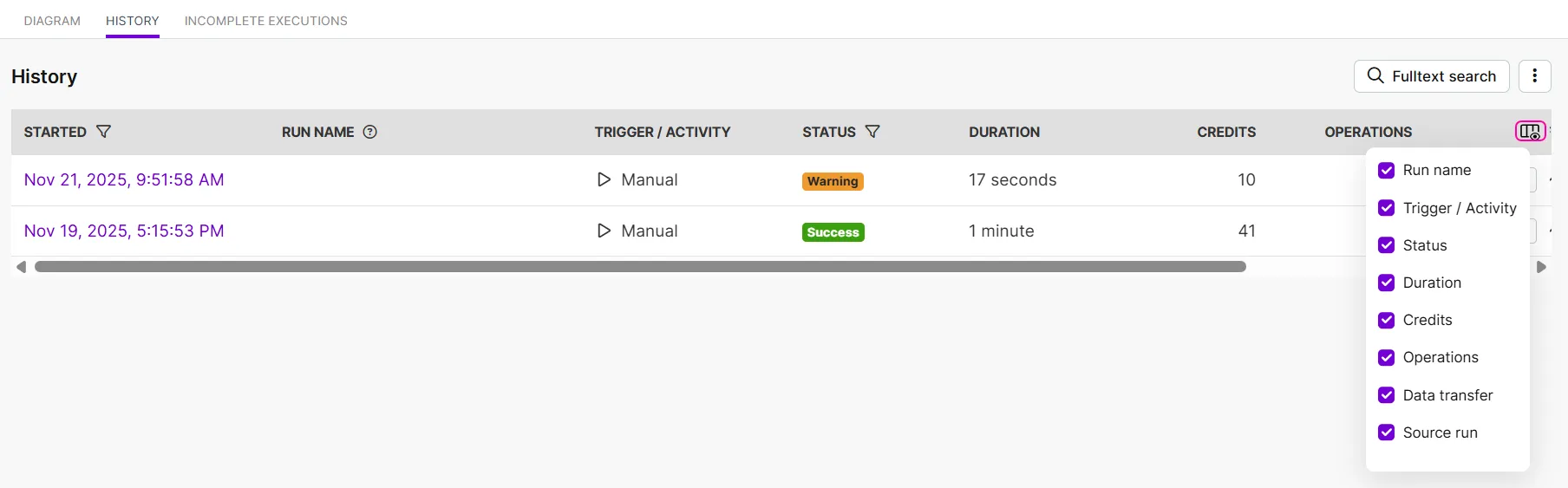
Scenario history columns
The Scenario history now supports showing and hiding columns. This gives you more control over what you see in the Scenario history.
App updates

We've added support for the GPT-5.2 model in the OpenAI app.
The GPT Image 1.5 model is now available in the following modules:
- Generate images
- Edit images

We've released new Anthropic Claude modules that let you manage:
- Files
- Skills
- Skill versions
These modules give you more control when working with Claude resources in your scenarios.

Figma
Two new webhook modules are now available for Figma files:
- Watch file comments
- Watch file updates
You can use these modules to monitor changes and feedback in Figma.

Canva
We've released new modules that allow you to work with Canva brand templates:
- Autofill a Design from a Brand Template
- Search Brand Templates
- Get a Brand Template

The Generate a response module now includes an optional Image Size field for image generation.
You can choose between 1K, 2K, and 4K to control the resolution of generated images.