Use scenario outputs
Once you define your scenario outputs, you need to add the dedicated Scenarios > Return output module. Its module fields are based on scenario outputs setting.
Map the data you want to output from your scenario to the Scenarios > Return output module fields.
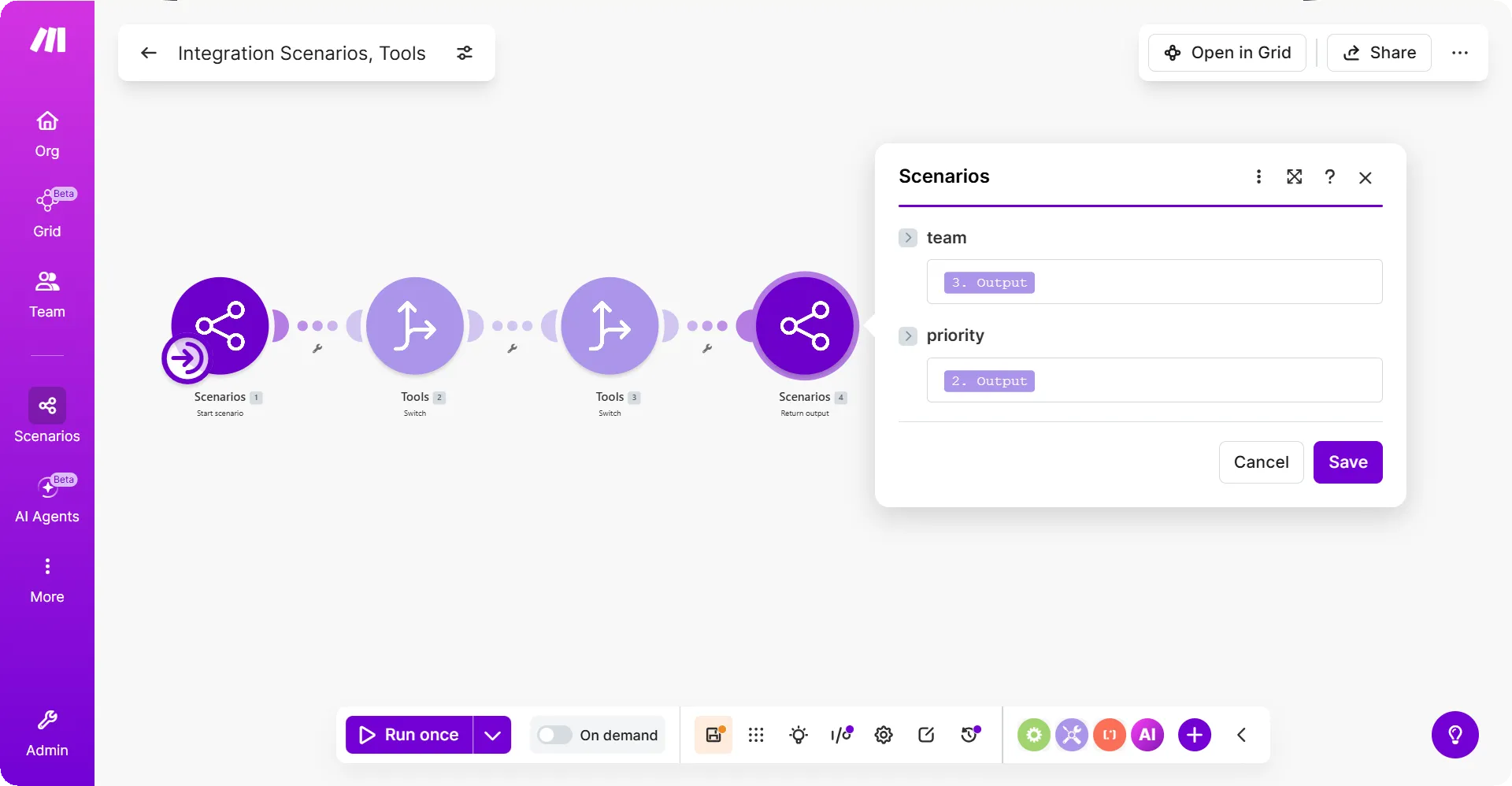
The Scenarios > Return output module always finishes the scenario run. It works similarly as the return statement in programming. You cannot add any subsequent modules after the Scenarios > Return output module in the current route.
Keep in mind that when using routers, the Scenarios > Return output module in a route finishes the scenario. The modules in the subsequent routes won't run.
If you have multiple Scenarios > Return output modules in your scenario, Make runs only the one that is reached first in the scenario flow. Subsequent Return output modules don't run.
Scenario outputs are available to the entity that triggered the scenario:
- If the scenario was triggered through the Scenarios > Call a scenario module, then scenario outputs are a part of the module output bundles.
- If the scenario was triggered through the Make API, then scenario outputs are in the request response.