How features use credits
This page outlines how different apps and module in Make consume credits, so you understand the credit cost of your activities.
Credits by app
Built-in AI apps consume credits differently than other app types.
Built-in AI apps
Built-in AI apps use credits differently depending on the type of AI connection chosen: Make's AI Provider, a custom AI provider connection (such as Anthropic Claude via an API key), or an automatic AI provider connection.
To learn more about connection types, see Credit usage for AI features.
Make's AI Provider is available on all plans, and custom AI provider connections are available on paid plans.
App | Make's AI Provider (all plans) | Custom AI provider connection (paid plans) | Automatic AI provider connection (all plans) |
|---|---|---|---|
Dynamic: 1 credit per operation + credits based on token usage | Fixed: 1 credit per operation | | |
Dynamic: 1 credit per operation/chat + credits based on token usage, including:
| Fixed: 1 credit per operation (+ embedding tokens when using Create Agent Context modules) | | |
| | Fixed (1 credit per operation) or dynamic (credits based on token, file, or page-based usage), depending on the module. | |
| | Dynamic: 1 credit per operation + credits based on token usage |
All other apps
All other apps consume credits based on a fixed rate of 1 credit per operation.
Exceptions
- The Make CodeMake Code app uses 2 credits per second of execution time.
- These modules are free to use.
Credits by module
Most non-AI apps at Make use credits based on the number of operations, which vary based on the module type.
Trigger modules
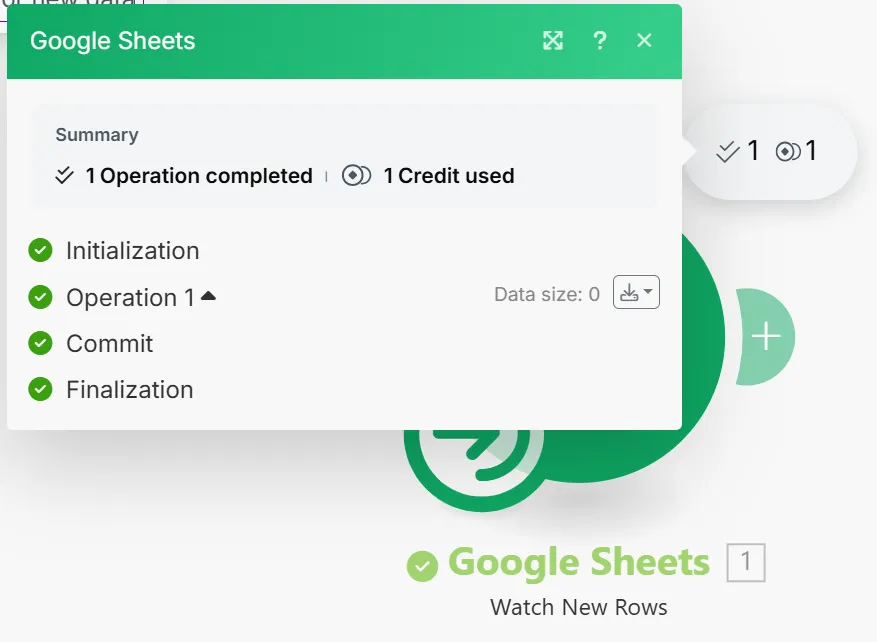
Trigger modules use 1 credit per run, regardless of whether they return data. Even when a trigger finds no new data, it still uses 1 credit for checking.
For example, in the Google Sheets > Watch New Rows module below, the scenario run retrieved no new data, but used 1 credit for the operation.
Search modules
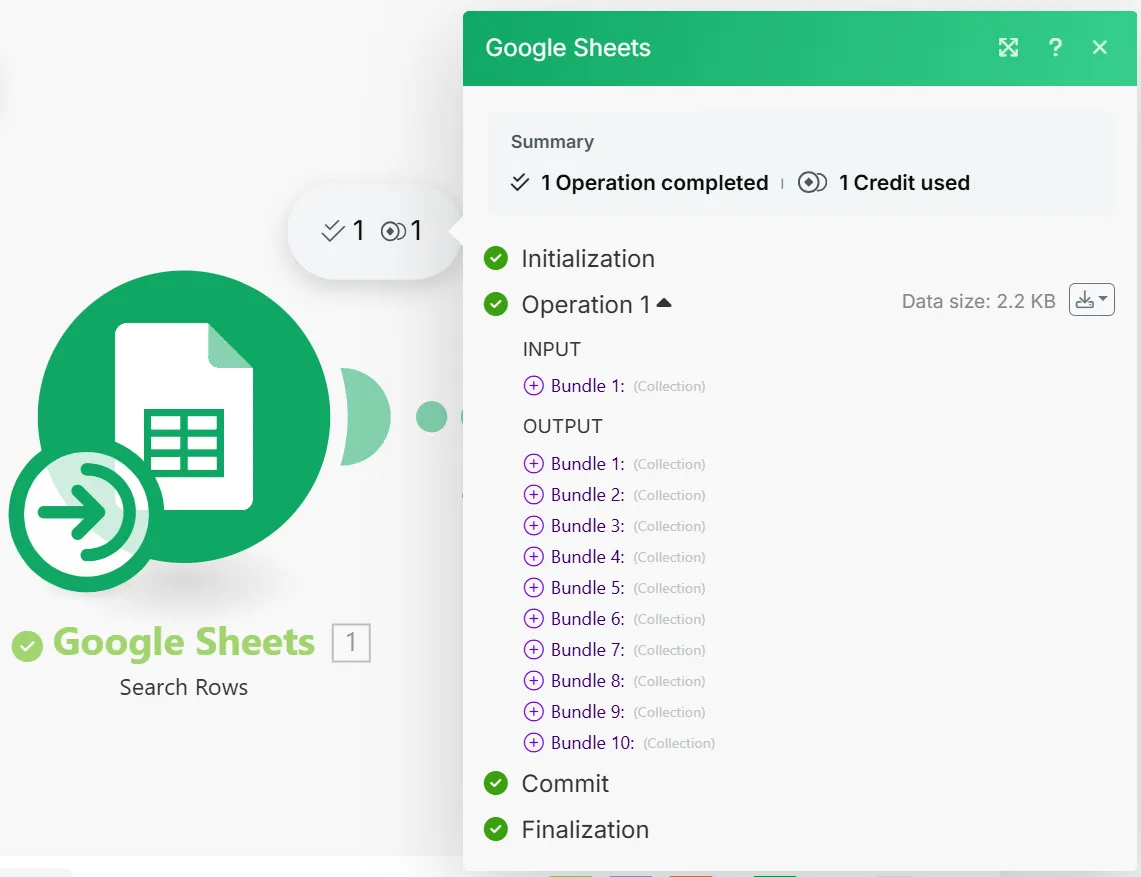
Search modules use 1 credit per run, even when they return multiple bundles.
For example, the Google Sheets > Search Row module below runs once to search rows according to the specified criteria. It only uses 1 credit for this operation despite returning 10 rows, or bundles.
Action modules
Action modules (those with "Add," "Update," "Delete," etc) use as many credits as runs needed to process all bundles. It uses 1 credit per input bundle processed.
For example, the Google Sheets > Search Row module below returned 10 rows and used 1 credit. The following Delete Rows module must run 10 times to delete each of the 10 rows, using 10 credits. The scenario uses 11 credits total.

Aggregator modules
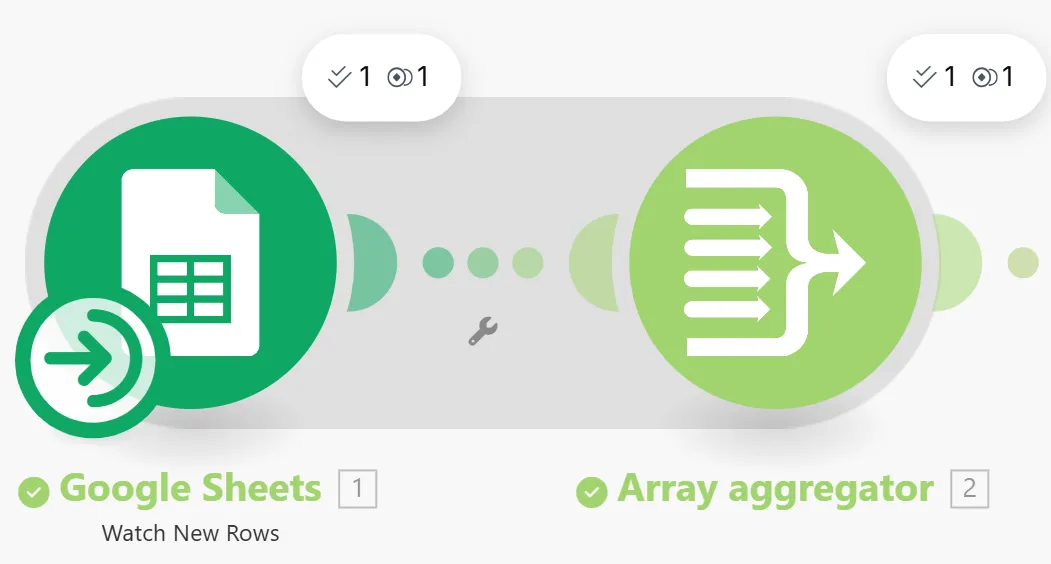
Aggregator modules combine multiple bundles into a single bundle, called an array. Aggregators use 1 credit for each aggregation.
For example, the array aggregator below combined 10 contacts, or bundles, from the Google Sheets > Watch New Rows module into an array. This aggregation used 1 credit.
Iterator modules
Iterator modules split an array into multiple bundles. Iterators use 1 credit to split an array into bundles, and the next modules use 1 credit for each iterated bundle.
For example, the Iterator below received an email with an array of 5 attachments and split the array into 5 separate attachments. It used 1 credit to split the attachment array, and the Google Drive > Upload a File module used 5 credits to upload each attachment.

Learn more about bundles and their relationship to operations in Operations.
Modules with no credit cost
The following modules don't use credits:
- Error handler modules: Rollback, Break, Resume, Commit, Ignore
- Scenarios modules: Call a subscenario, Start a scenario, Return output, and Customize run name
- Make Functions modules