Switch between appearance modes
2 min
In Make, choose between three appearance modes:
- Light mode: Shows the light interface.
- Dark mode: Shows the dark interface.
- System mode: Matches your device's settings.
You can change modes in your profile settings or the Scenario Builder.
Choose between all modes in your profile settings
To choose light, dark, or system mode in your profile settings:
Click your profile icon in the top-right corner.
Next to Theme, select System mode, Light mode, or Dark mode.
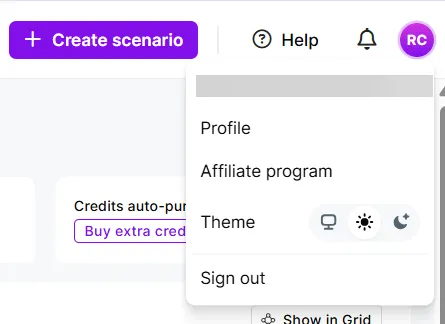
You've now switched between modes.
Choose between light and dark mode in the Scenario Builder
To choose light or dark mode in the Scenario Builder:
In the left sidebar, go to Scenarios and click a scenario, or click + Create scenario.
Right-click the canvas.
Toggle Dark mode on or off.
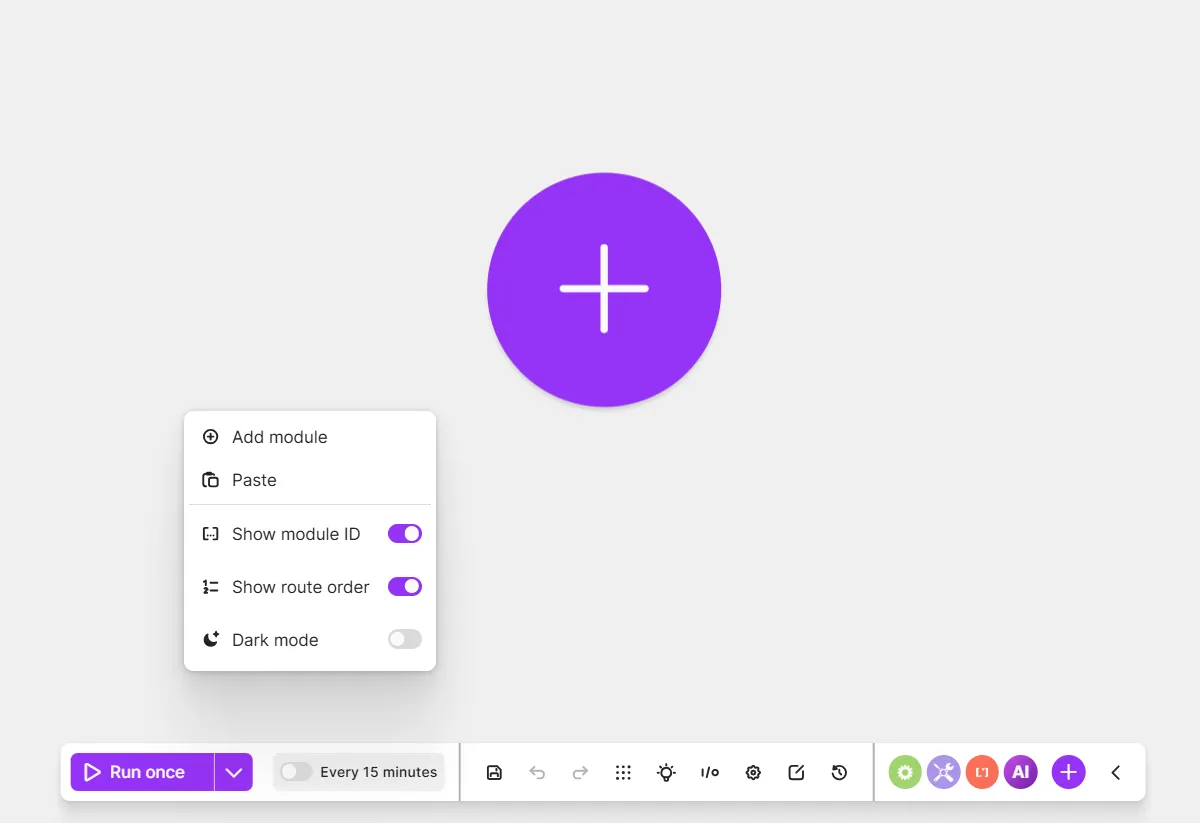
You've switched between light and dark mode.