Introducing Credit usage history
Credit usage is available to users on all plans.
Previously, tracking your credit usage required you to check several places in Make, such as the module output, scenario list, history, and diagram. This disjointed view prevented you from seeing credits used in one place, limiting opportunities to monitor and optimize usage.
Introducing Credit usage, a unified history of credits used per scenario run across all scenarios and AI agents in your organization.
What's new?
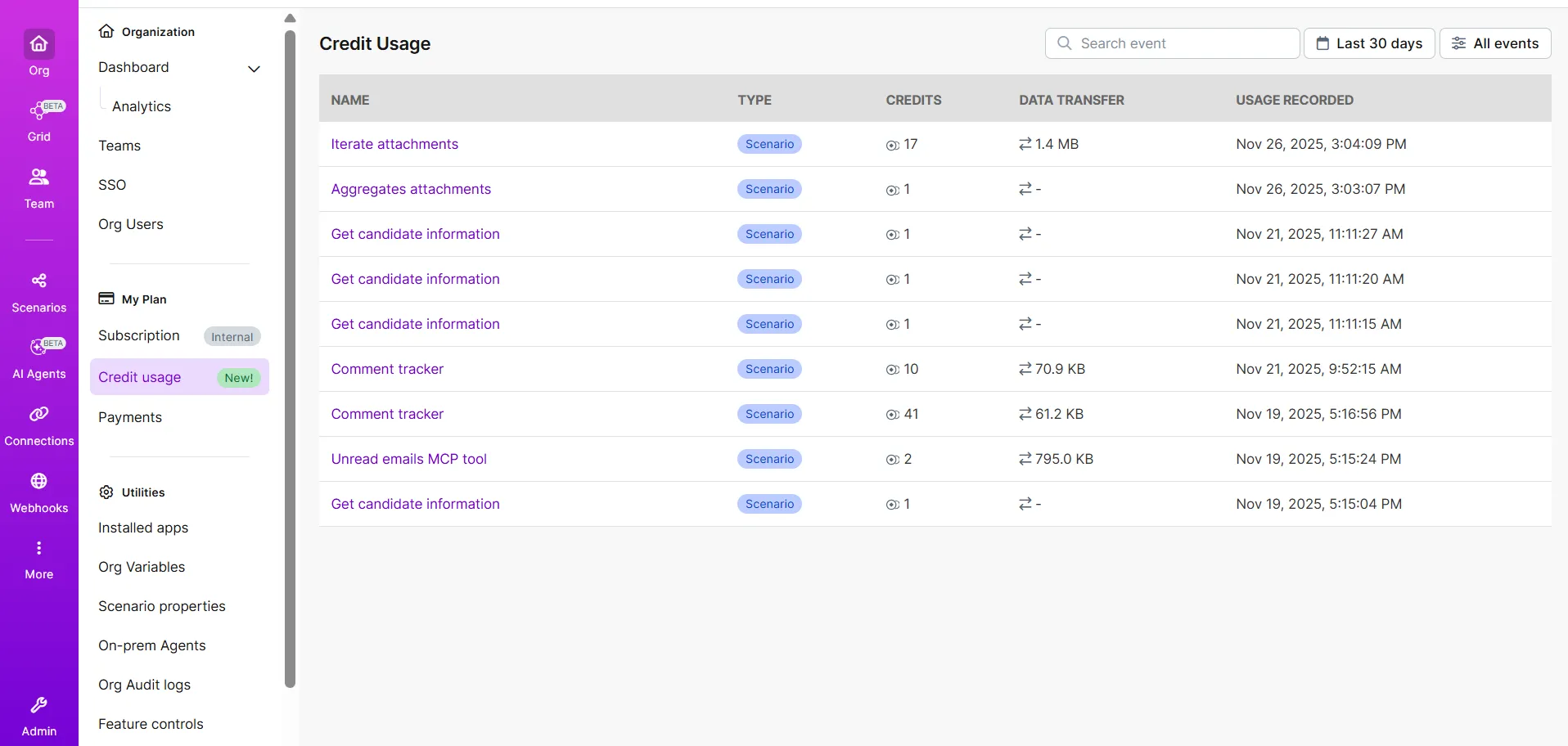
The new Credit usage table provides an overview of your credit usage across all features, displaying:
- Scenario or AI agent name and type, including a link to the scenario run
- Credits used per run
- Data transferred per run
- Usage timestamp
Key benefits
- Centralized monitoring: Track all credit usage from your organization in one place instead of checking multiple locations.
- Reduce future credit usage: Quickly identify high-usage scenarios or agents that may benefit from optimization.
- Analyze run-level usage metrics: Review a scenario run in detail, including its source name, feature type, credits used, data transferred, and usage timestamp.
- Investigate execution details: Click any scenario name for a detailed overview of credit usage in its execution log.
Where to find it
You can find Credit usage in your Organization dashboard:
In the left sidebar, go to Org.
Under My Plan, go to Credit usage.
Optionally, click on a scenario run in the Name field to analyze its credit usage in more detail.
Learn more
To find out more about Credit usage and other options for tracking credits, see How to track credits.
Enterprise plan users: The Credits usage table is now your default resource for monitoring all credit usage in your organization.