Operations
When you use features in Make, your activities result in operations. An operation is a module run to process or check data.
In this guide to operations, learn what they are, how they work, and where to view them in Make so you can debug a scenarios or understand your credit usagecredit usage.
What are operations?
An operation is a single module run to process data or check for new data.
When you run a scenario, each module runs one or more times, resulting in 1 or more operations. A module's number of operations depends on the number of bundles it processes. For now, think of a bundle as a unit of data, like an email, contact, or file.
Examples
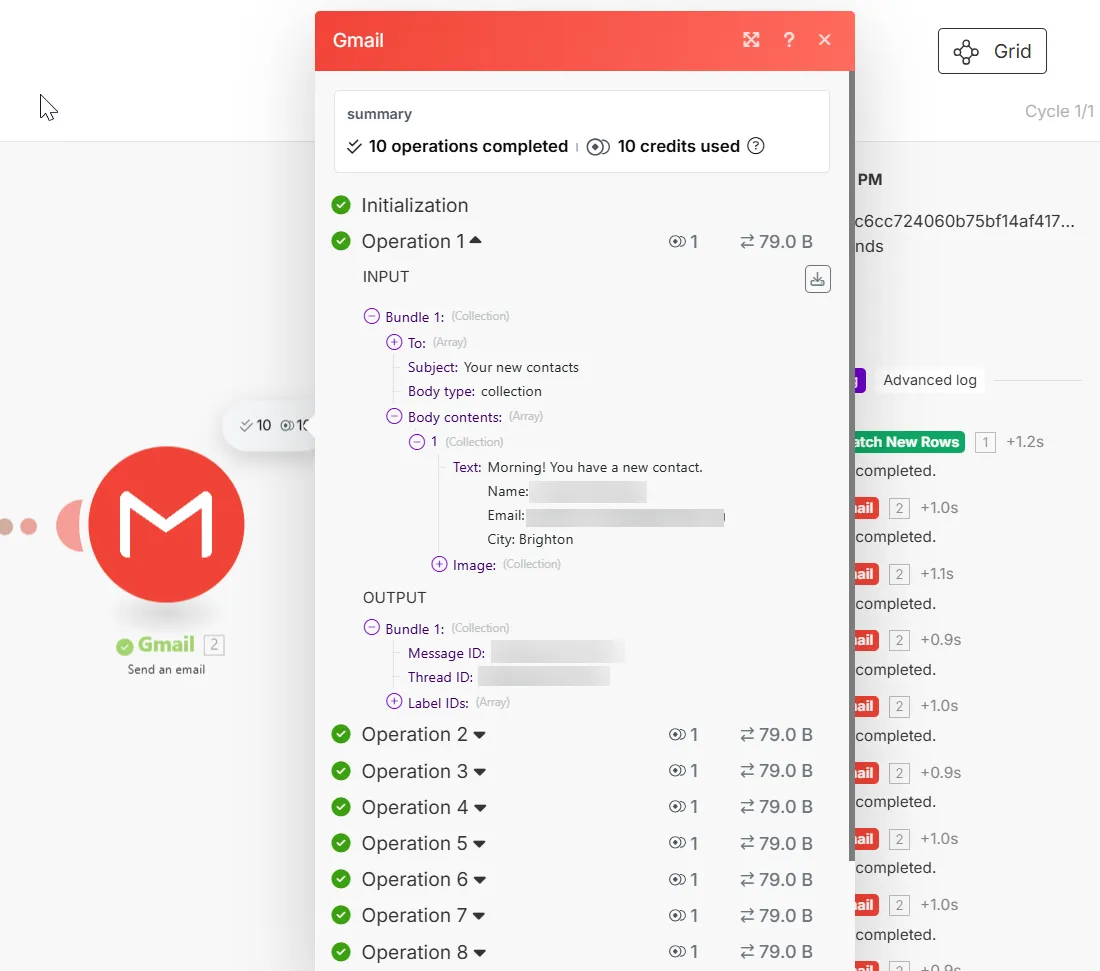
- The Gmail > Send an Email module sends 5 emails = 5 operations (one per email)
- The Google Drive > Upload File module uploads 3 files = 3 operations (one per file)
The exception to this rule is trigger modules, which only run once to check for or retrieve data, regardless of the number of bundles returned:
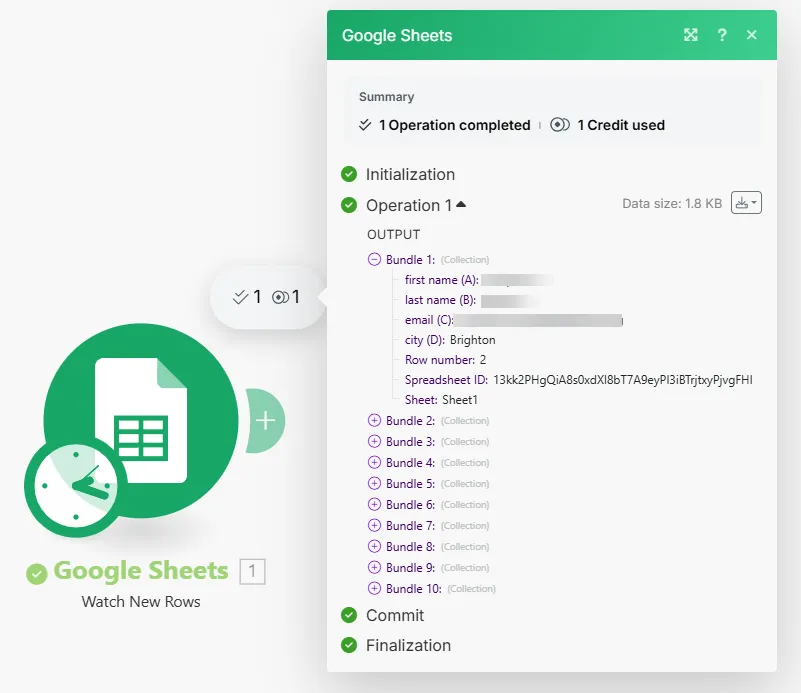
- The Google Sheet > Watch New Rows module checks for new rows in a Google spreadsheet = 1 operation (one per check)
When you run a scenario, the checkmark icon (the first number) in the white bubbles above modules shows each module's operation count. The coin icon (the second number) shows the number of credits consumed by those operations.
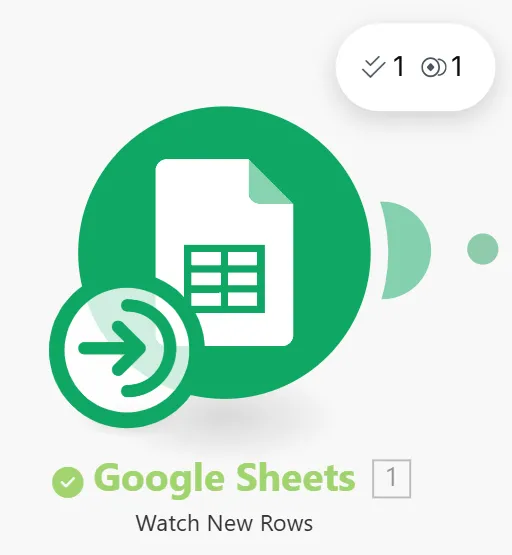
By default, the white bubble only shows operations. You can toggle on credits next to the scenario name.
What are bundles?
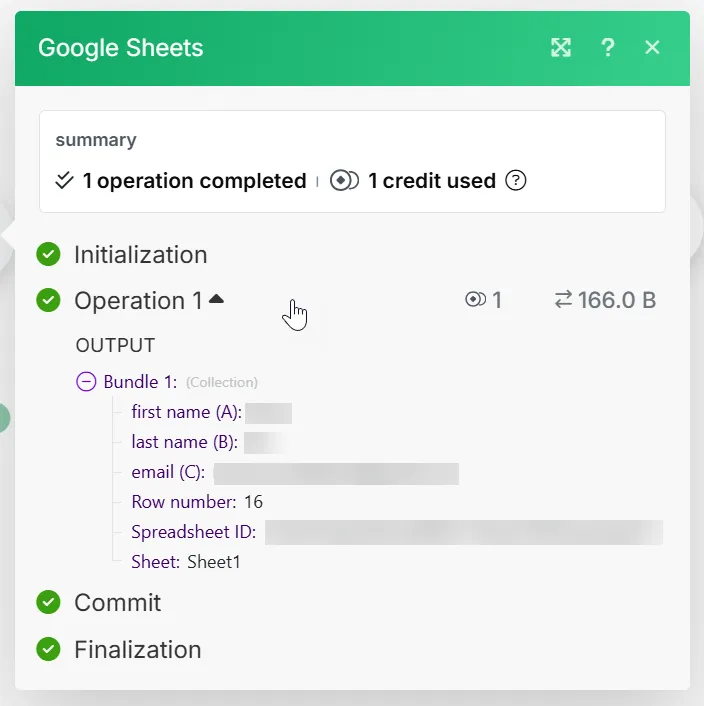
When you click the white bubble above a module and expand an operation, you can view the bundles that the module processed.
Bundles are containers of related data items, and data items are individual pieces of data. For example, when a module runs to add new contacts to a table, each contact is a bundle containing parameters such as name, last name, and email.
Input and output bundles
An operation contains two types of bundles: input bundles and output bundles. An input bundle is the data a module receives, and an output bundle is the module's response data.
In a scenario, the trigger module first retrieves bundles from an external source. The next module receives these bundles as input bundles. This module processes these bundles according to its function in the scenario, resulting in output bundles. This process repeats throughout the scenario.
How bundles relate to operations
An operation is a module run to process or check data, and a bundle is the processed data. Modules process each bundle separately, meaning each bundle triggers its own module run.
For example, adding 5 contacts to a sheet requires 5 runs, resulting in 5 operations.
Since each bundle requires a module run, bundles in earlier modules have a multiplying effect on the operations in the rest of the scenario:
- A trigger module runs once to check for new data -> 1 operation
- If the trigger module returns multiple bundles, the next modules run once for each bundle -> That many operations
A scenario watches for new responses to a Google Form, creates a document for each response, downloads it, and emails the document to each respondent. In the last scenario run, the trigger module, Google Forms > Watch Responses, returned 10 new bundles (responses):

The total operations used in this run:
- Trigger: 1 operation
- Other modules: 10 operations each (10 bundles per run)
Total: 31 operations (1+30) for each scenario run
If you click Stop while a scenario is running, the module currently running must finish processing all of its bundles before the scenario stops. You can't stop the module before it processes all of the bundles. Example Your scenario has five modules. As the third module processes, you click Stop. Once third module finishes processing all the bundles, the scenario stops running. The fourth and fifth modules do not run.
Where to view operations
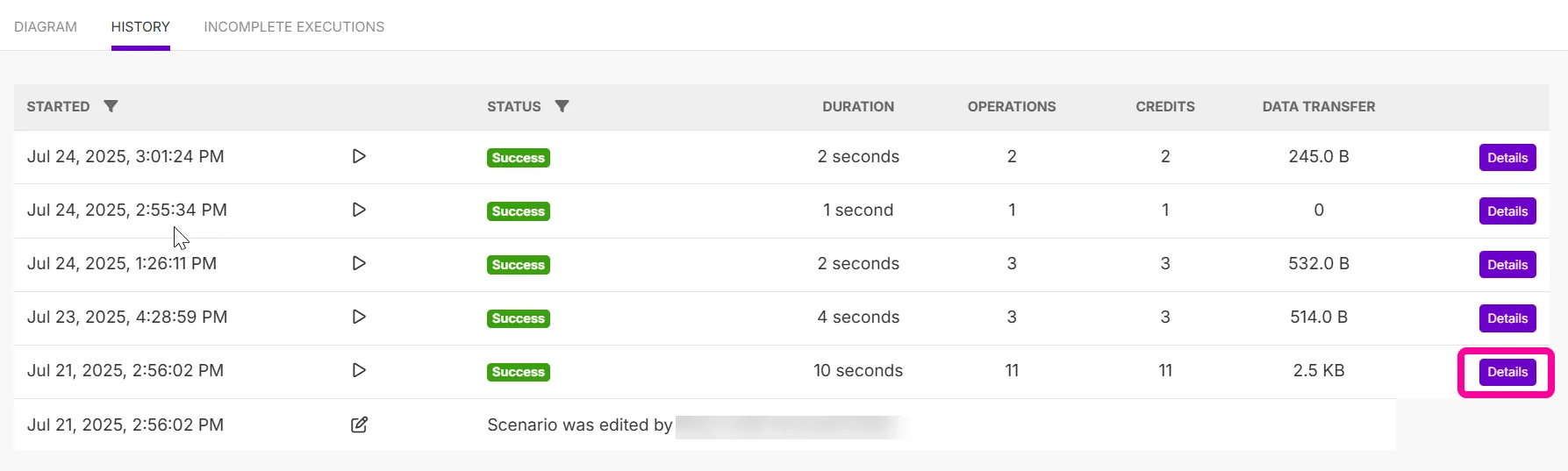
Looking at your operations in detail is useful for debugging, understanding your credit usage, and monitoring your activities in Make.
To view operations in a scenario:
- Click the white bubble above any module after running a scenario.
- Expand individual operations to see their bundles processed.
- Expand bundles to see their data items.