What's a scenario and which type should you use?
In Make, everything you build is a scenario. A scenario is an automated workflow that connects apps and services. In this article, understand what scenarios are, how to choose the right type for your workflow, and what to do next to get started.
What's a scenario?
A scenario is your automated workflow, and modules are its building blocks. Each module belongs to an app and performs a specific task, such as watching for data, updating it, or sending it to another service. When an external event triggers the first module, the later modules run in sequence.
Types of scenarios
Before you build a scenario, you'll need to decide between three types: a standard scenario, AI scenario, and AI agent scenario. Each is suited to different kinds of workflows and data.
Standard scenario
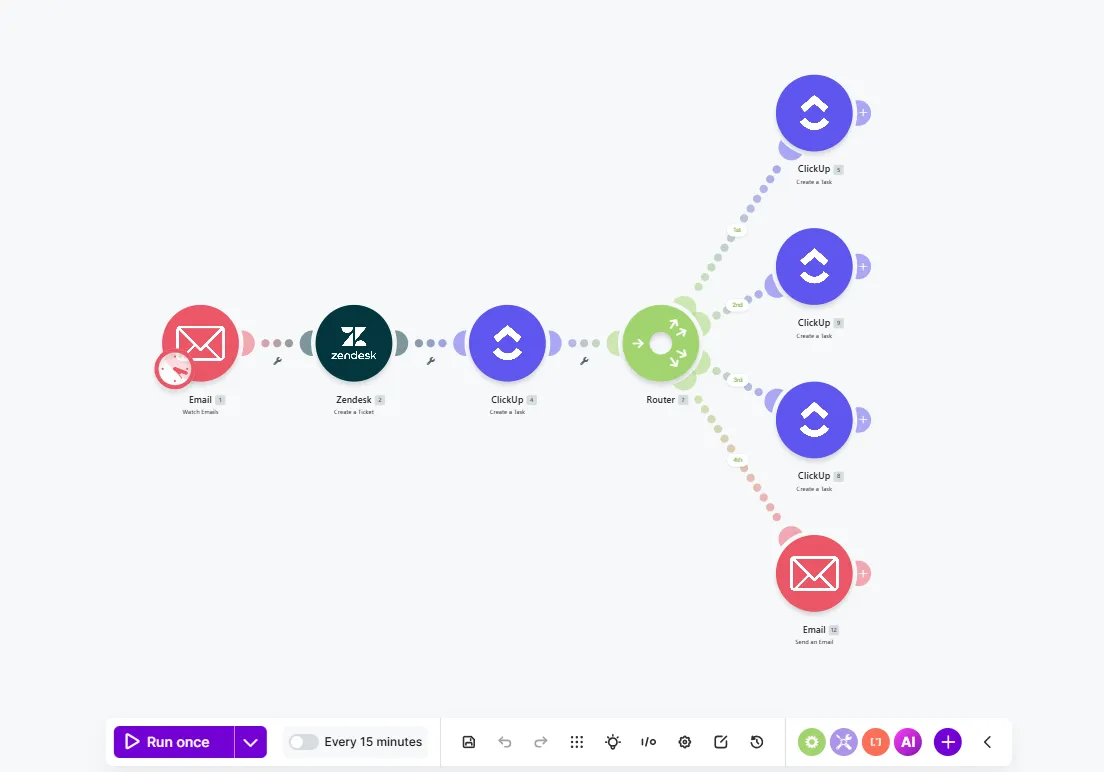
A standard scenario is a series of non-AI modules that follow fixed rules. Common uses include simple, repetitive tasks such as sending notifications, updating inventory, and synchronizing data between systems.
AI scenario
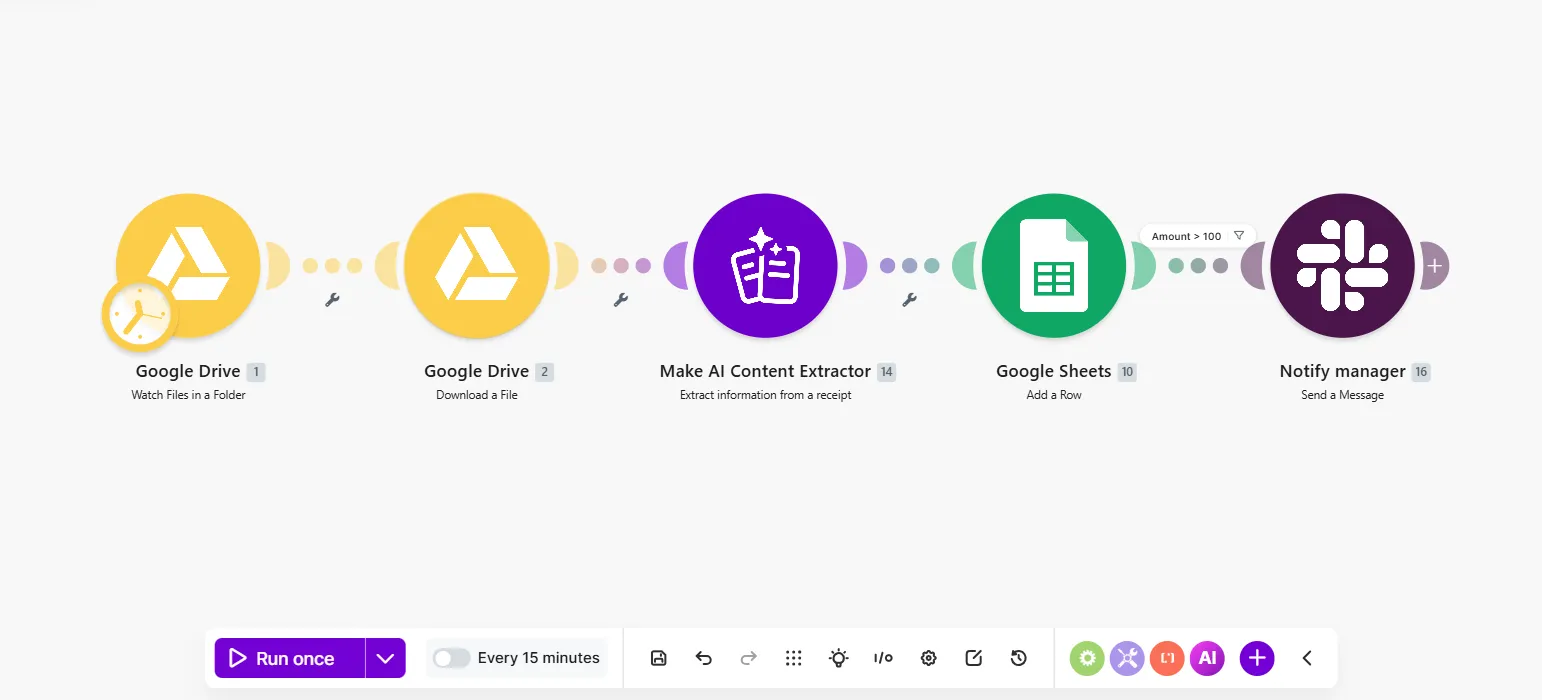
An AI scenario is a standard scenario that includes one or more AI modules. It's ideal for predictable workflows where you need AI at specific steps to analyze data, generate content, or convert data to other formats.
AI agent scenario
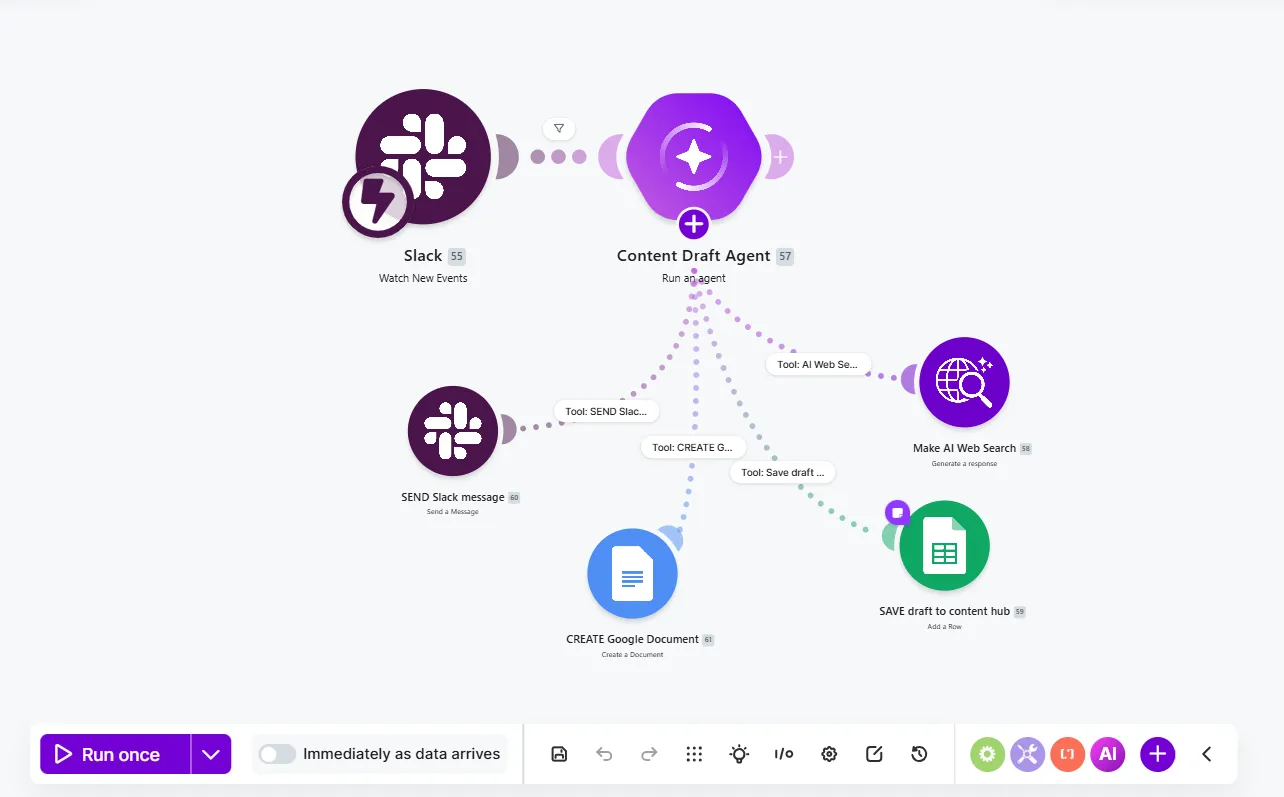
An AI agent scenario uses the Make AI Agents (New) app and lets the agent decide the path, rather than following a fixed one. It's best for workflows that involve classification and delegation, mostly rely on unstructured data like PDFs and emails, and use files to personalize results.
How they compare
Scenario types differ based on how fixed the workflow is, how much data is unstructured, and whether and how they use AI.
| Data | Logic | Results | Best for |
|---|---|---|---|---|
Standard scenario | Structured (forms, spreadsheets, fields) | Fixed rules (if this, then that) | Consistent (same input, same output) | Predictable processes that need controlled, auditable outcomes |
AI scenario | A mix of structured and unstructured | Fixed rules, with AI judgment in specific steps | Mostly consistent, with some variable AI-generated parts | Workflows that need structure, with flexibility in a few steps |
AI agent scenario | Mostly unstructured (text, documents, chat) | Flexible (the agent decides) | Variable, depending on what the agent decides | Open-ended goals where the path isn't fixed in advance |
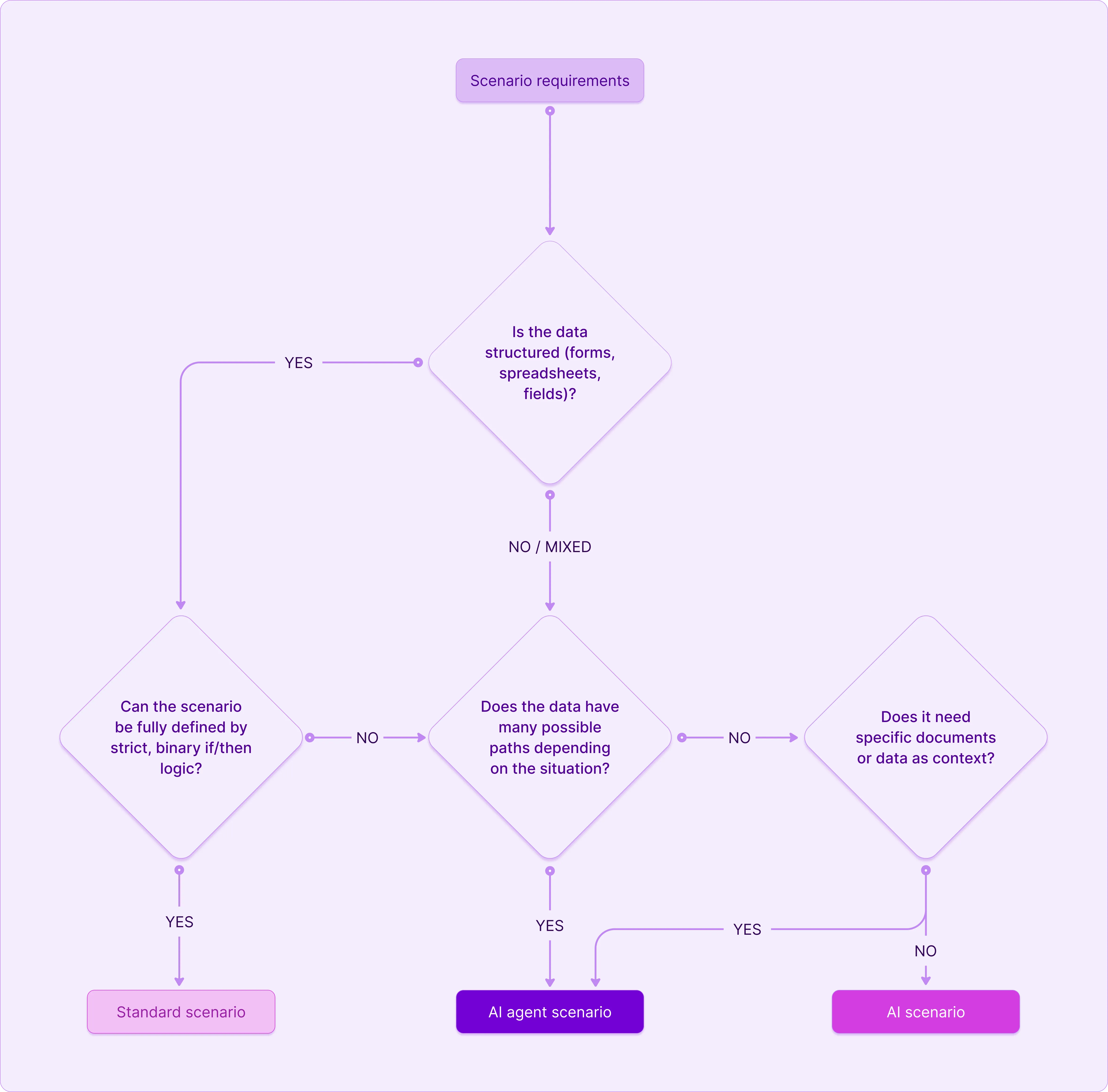
When to use each
Use this decision tree to choose the right scenario for your workflow.
Examples
Below are industry-specific examples of what each scenario type can do.
| Sales | Marketing | Customer support |
|---|---|---|---|
Standard scenario | Send new lead form responses to a CRM. | Upload videos to YouTube and post them on LinkedIn. | Save customer reviews to a Google Sheet. |
AI scenario | Evaluate a lead, determine its ICP fit, and summarize pain points. | Transcribe videos, identify viral topics, and draft platform-specific posts. | Analyze and categorize customer sentiment, then notify the relevant manager on Slack. |
AI agent | Access the CRM and calendar, research leads, and book meetings. | Strategically execute tasks to grow a social media following, including choosing topics, scheduling posts, and replying to comments. | Read a customer query, search the company knowledge base, and reply to the customer. |
What's next
Once you've decided on the scenario type, here's what to do next:
- If you chose a standard scenario, build the workflow step by step. For a guided walkthrough, see Create your first scenario.
- If you chose an AI scenario, add one or more AI modules at specific steps of your scenario. Choose from built-in AI apps like Make AI Toolkit , Make AI Web Search, and Make AI Content Extractor, or AI provider apps like Anthropic Claude and OpenAI.
- If you chose an AI agent scenario, add the Make AI Agents (New) app to your scenario and give it the tools and files it needs to work on its own. To get started quickly, explore the Library of Agents for a template to modify.