Feature controls
This feature is available to Enterprise customers.
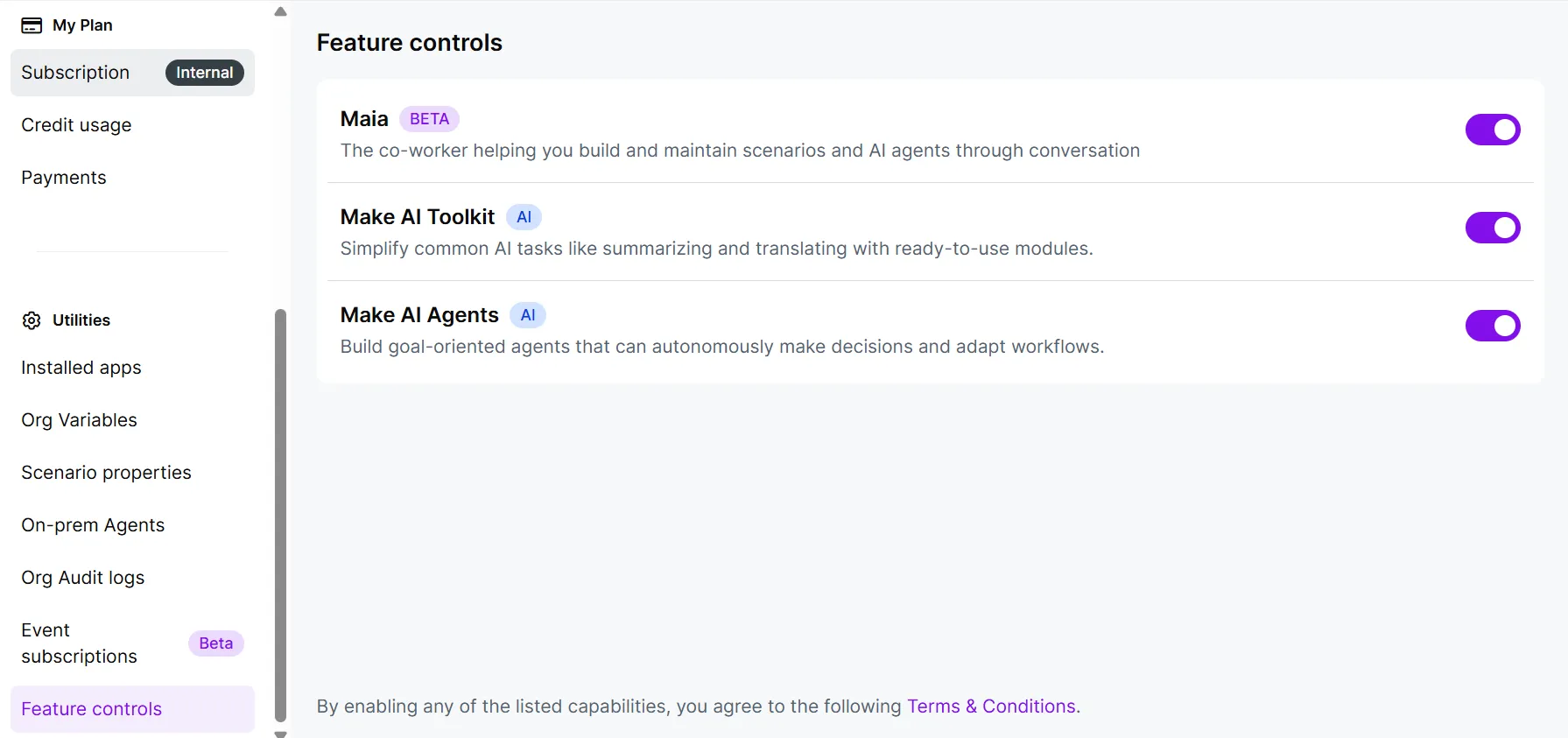
The Feature controls page provides organization administrators and owners with granular, centralized control over experimental and AI features. Toggle individual features to turn them on and off across your entire organization.
Benefits of Feature controls
The Feature controls page offers several key benefits by directly addressing several challenges:
- Mitigate risk and ensure compliance:
It provides you with explicit control over AI features, allowing you to mitigate perceived or actual risks related to data usage, leakage, and compliance with internal governance policies. This is especially useful if your industry requires strict data governance and risk mitigation.
- Ensure stability for critical processes:
You can control the ability to prevent users from accidentally or intentionally using Beta capabilities. This ensures that critical business processes can access validated features only.
- Enable flexible and wider adoption:
You can now adopt the platform more widely by selectively disabling only the AI or Beta capabilities, removing roadblocks to wider organizational use.
Access Feature controls page
To access the Feature controls page:
Log in to your Make account as an administrator.
In the left sidebar, click Organization.
Scroll down to the bottom of the page, click Feature controls.
The Feature controls page is displayed. This page lists all features classified as either AI-related or Beta. Each feature includes a brief description and an independent toggle switch.
You must have administrator or owner rights to access this page.
Enable or disable a feature
To change the availability of a specific feature for your organization:
Locate the desired feature (e.g., Make AI Agents).
Click the toggle switch next to the feature name:
Toggle ON (enabled): The feature becomes available to all eligible users in your organization.
Toggle OFF (disabled): The feature is inaccessible to all users in your organization.
Click ON/OFF to apply the update.
When you disable a feature, a confirmation prompt is displayed indicating the impact of the change. Disabling a feature can impact the behavior and performance of all scenarios using it. All users in your organization will gain or lose access, and active scenarios may be impacted.
Your changes will reflect across your organization.
Limitations
This control page manages the listed capabilities only and does not apply to application modules.