Schedule a scenario
Schedule a scenario to define when and how often your scenario runs.
Schedule setting panel
Use Schedule settings to schedule your scenario. By default, a scenario runs every 15 minutes, but you can customize the run schedule and interval in this panel.
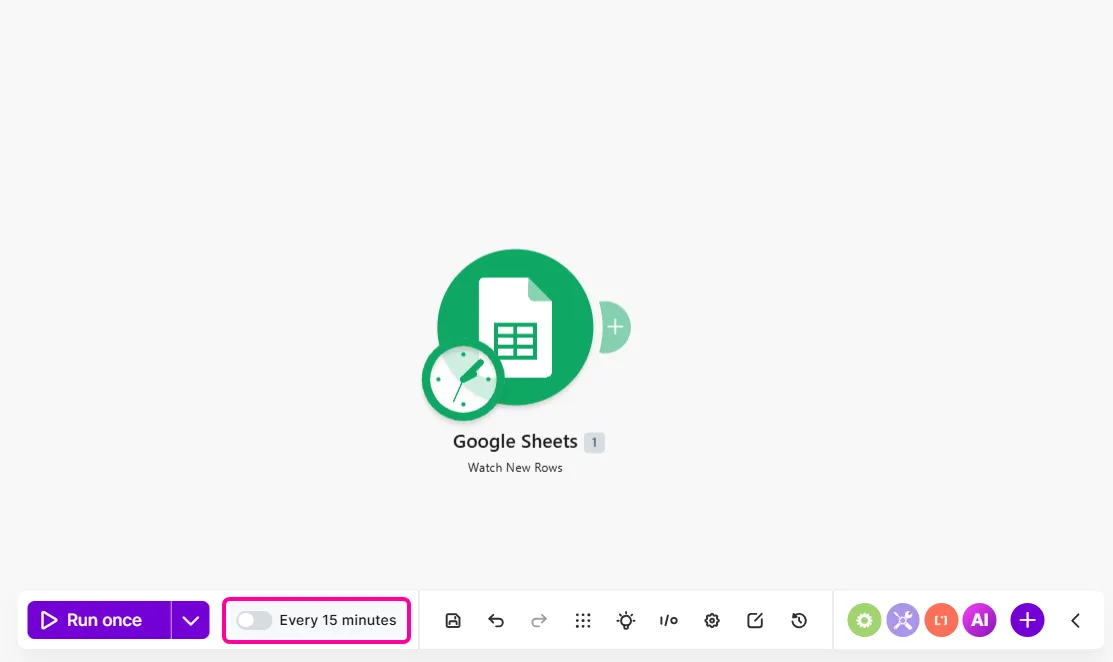
To find Schedule settings:
- Go to the Scenario Builder.
- Click Every 15 minutes on the Scenario toolbar.
- Configure your scenario schedule.

Run a scenario
You can select the following schedule options:
- At regular intervals
- Once
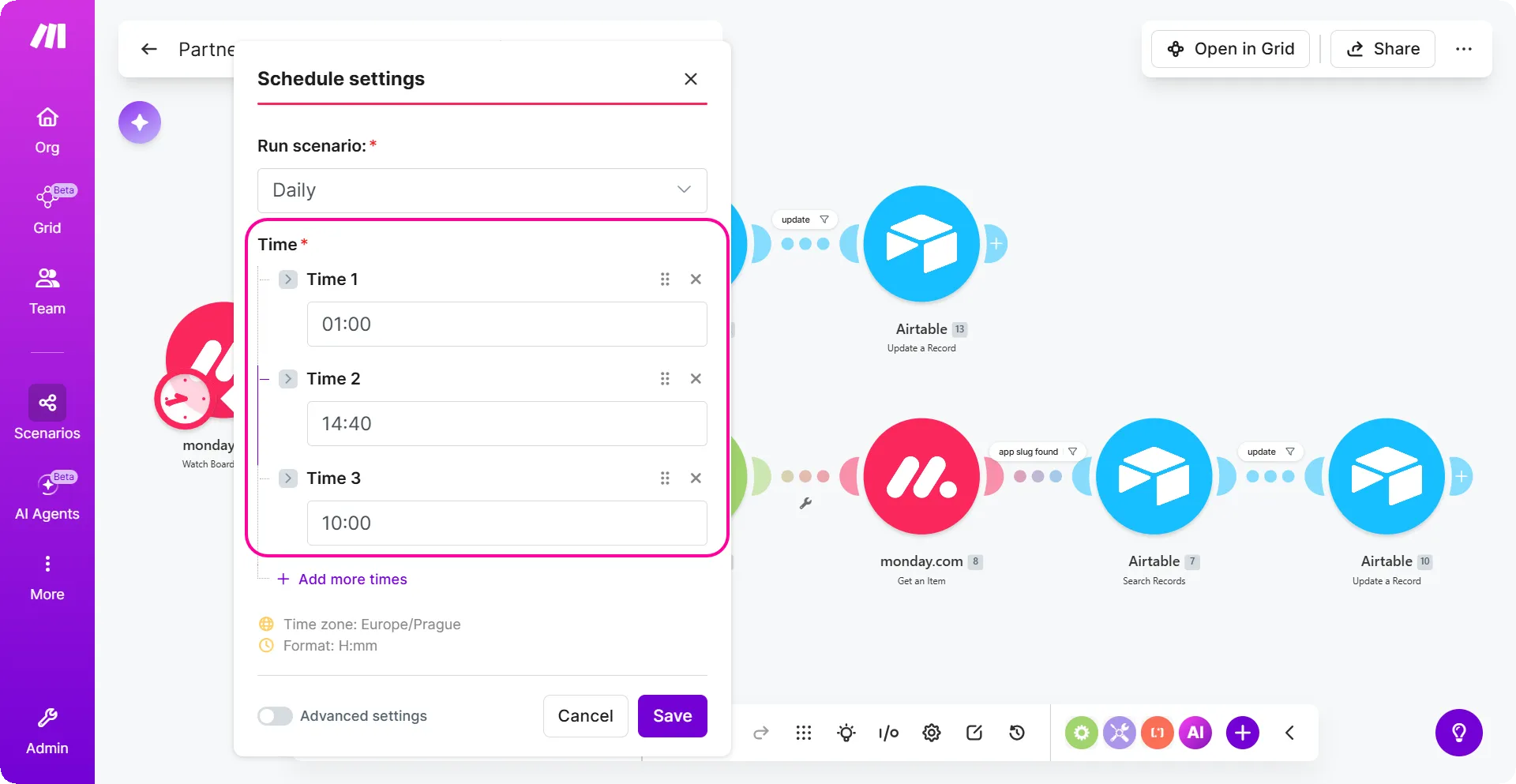
- Daily
- Weekdays (Mon-Fri)
- Weekly
- Monthly
- Specified dates
- On demand
When choosing any of these options, you may have to further define how often you want the run to occur. For example, if you select At regular intervals, you must define the time interval (in minutes) between two consecutive scenario runs.
You can add as many run times as you need in the Daily schedule, so one scenario can run at 1:00 AM, 14:40 PM, and 10:00 PM from one simple setup.
The minimum length of the interval depends on your plan.
The Immediately option is available only for some triggers. For more information on triggers, please see the types of modulestypes of modules help guide.
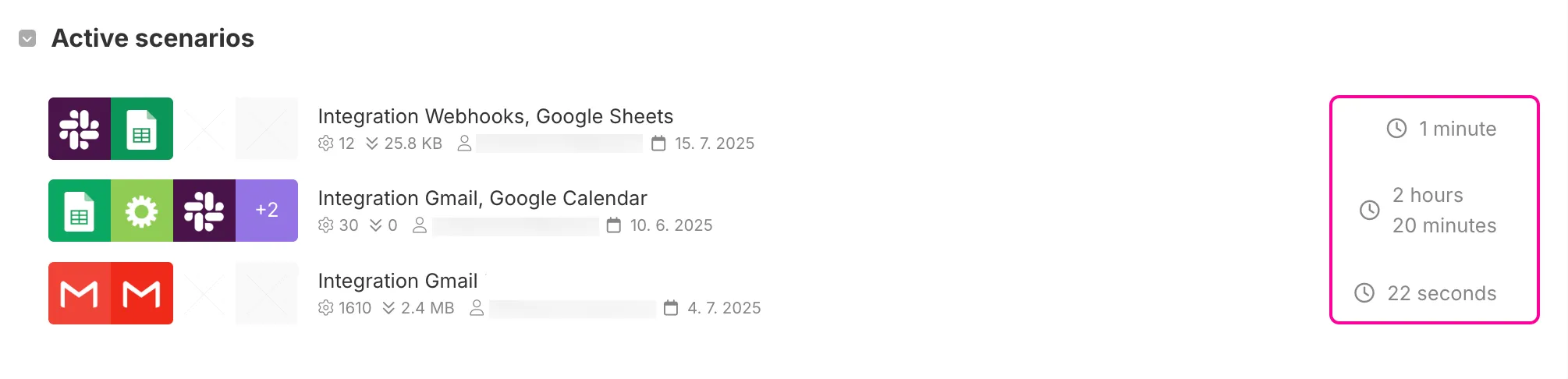
You can always see how much time is left until the next scenario execution on the organization dashboard.
On-demand scheduling
With the on-demand scheduling option, your scenario waits for an API call or the Run once button to trigger it. The scenario does not have a schedule and it does not run unless you start it manually.
Start and end date
To define the time range in which an activated scenario runs, check the Show advanced settings box and fill in the Start and End date.
Set a scenario rate limit
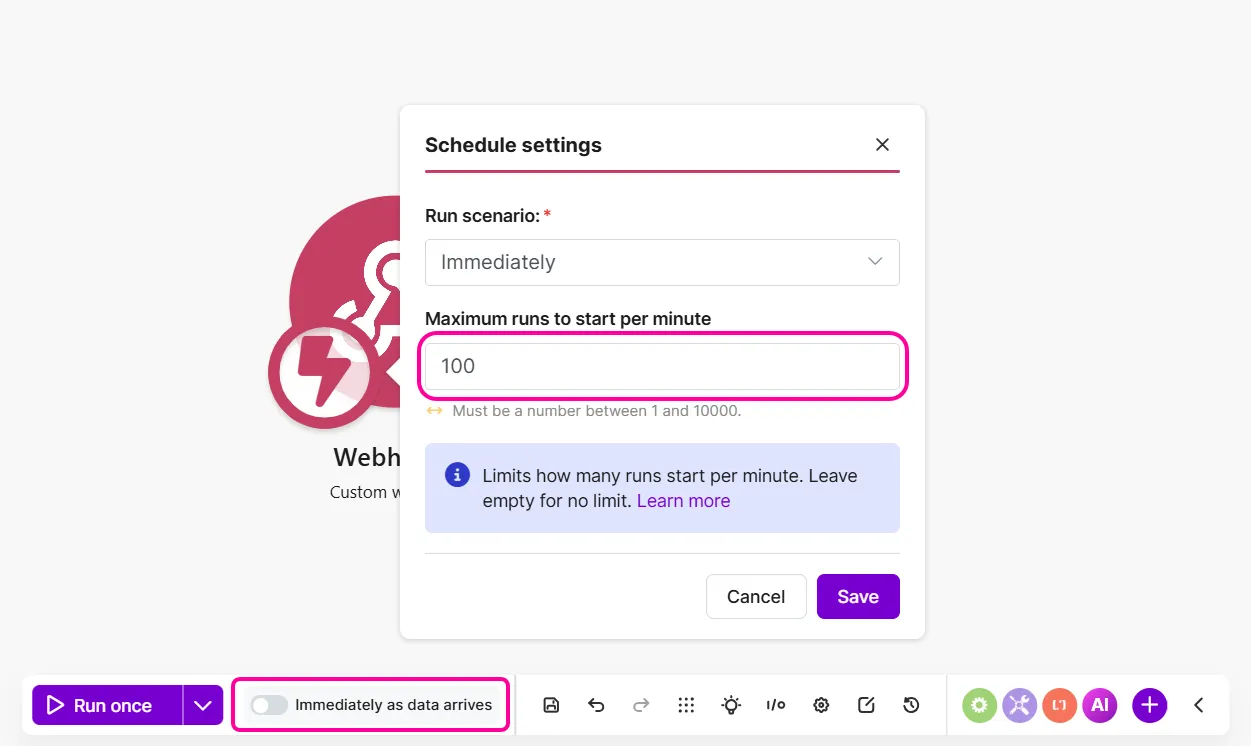
Set a scenario rate limit to prevent scenarios with instant triggers from running too often in a short period. Without it, a scenario that runs tens of times per minute may exceed service rate limits and return errors. The default scenario rate limit is 100.
To set a specific scenario rate limit for an instant trigger:
In the Scenario Builder, click Immediately as data arrives to open Schedule settings.
In Maximum runs to start per minute, specify a maximum number of scenario runs per minute or leave the field blank to have no limit. The default limit is 100.
You've now set a scenario rate limit.
Once a scenario hits its maximum runs per minute, Make stores subsequent requests in a queue and processes them gradually as the limit allows. For example, if you set the maximum to 30 runs per minute, any additional requests queue until capacity is available.
If your scenario includes a Webhook response module and exceeds the rate limit, the webhook caller receives an HTTP 429 Too many requests error. This error means that the caller must wait and retry the request later.