Custom roles
Custom roles let you create organization and team roles with the permissions your users need. Instead of assigning only default roles, you can create a role, choose its permissions, and assign it to users in your organization or teams.
Custom roles are available for Enterprise plan users only. Custom roles are not supported on Make private instances.
For example, you can create a role that lets a user view and run scenarios without giving them access to billing, organization settings, or user management.
How custom roles work
Make uses organization roles and team roles to control what users can access and manage. Organization roles apply at the organization level. Team roles apply to a specific team. This follows the existing two-level permission model in Make, where users belong to at least one organization and one team.
With custom roles, you can create your own role and choose permissions from a predefined list. Each permission controls a specific action, such as viewing organization details, managing users, or managing scenarios.
Some permissions depend on other permissions. When you enable or disable a permission, Make may also enable or disable related permissions that the selected permission requires.
Custom organization roles
Custom organization roles control what users can access and manage across the organization. You can use custom organization roles to give users access to organization-level permissions, such as organization details, organization members, billing information, feature controls, or organization settings.
If you give a custom organization role the View all teams permission, the assigned user gets implicit Team Admin access in every standard team. This permission isn't limited to read-only team visibility.
Custom team roles
Custom team roles control what users can access and manage in a specific team. You can use custom team roles to give users access to team-level permissions, such as viewing team data, managing scenarios, managing templates, or working with team resources.
Team roles affect what users can do with data that belongs to a team. Team resources include scenarios, connections, webhooks, keys, data stores, data structures, templates, and other team-owned assets.
Permissions are all-or-nothing per resource type. A permission like Manage scenarios applies to every scenario in the team, not select ones. To limit access to specific resources, use a separate team.
Create a custom role
To create a custom role for an organization or team:
Custom roles can be created by Org Owners and Admins only.
In the left sidebar, go to Org > User Roles.
Select Organization roles or Team roles.
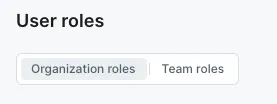
In the upper right corner, click + Create role.
Enter a name and description for the role.
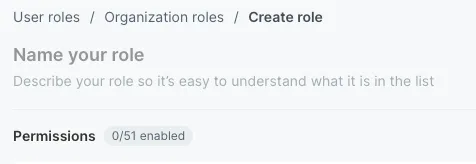
Enable the permissions you want to include in the role.
You can click Enable all or Disable all for each category of permissions.
Click Save role.
You’ve created a custom role and can assign it to users.
Edit a custom role
To find the custom role you created and edit the details:
In the left sidebar, go to Org > User Roles.
Select Organization roles or Team roles.
Find the custom role you want to update and click Edit. Custom roles have a specific Custom tag in the list.
Update the custom role. You can update the role's name, description, and permissions.
You can click Enable all or Disable all for each category of permissions.
Go back to the User roles page by clicking the arrow next to the custom role's name. Click Save role to save the changes.
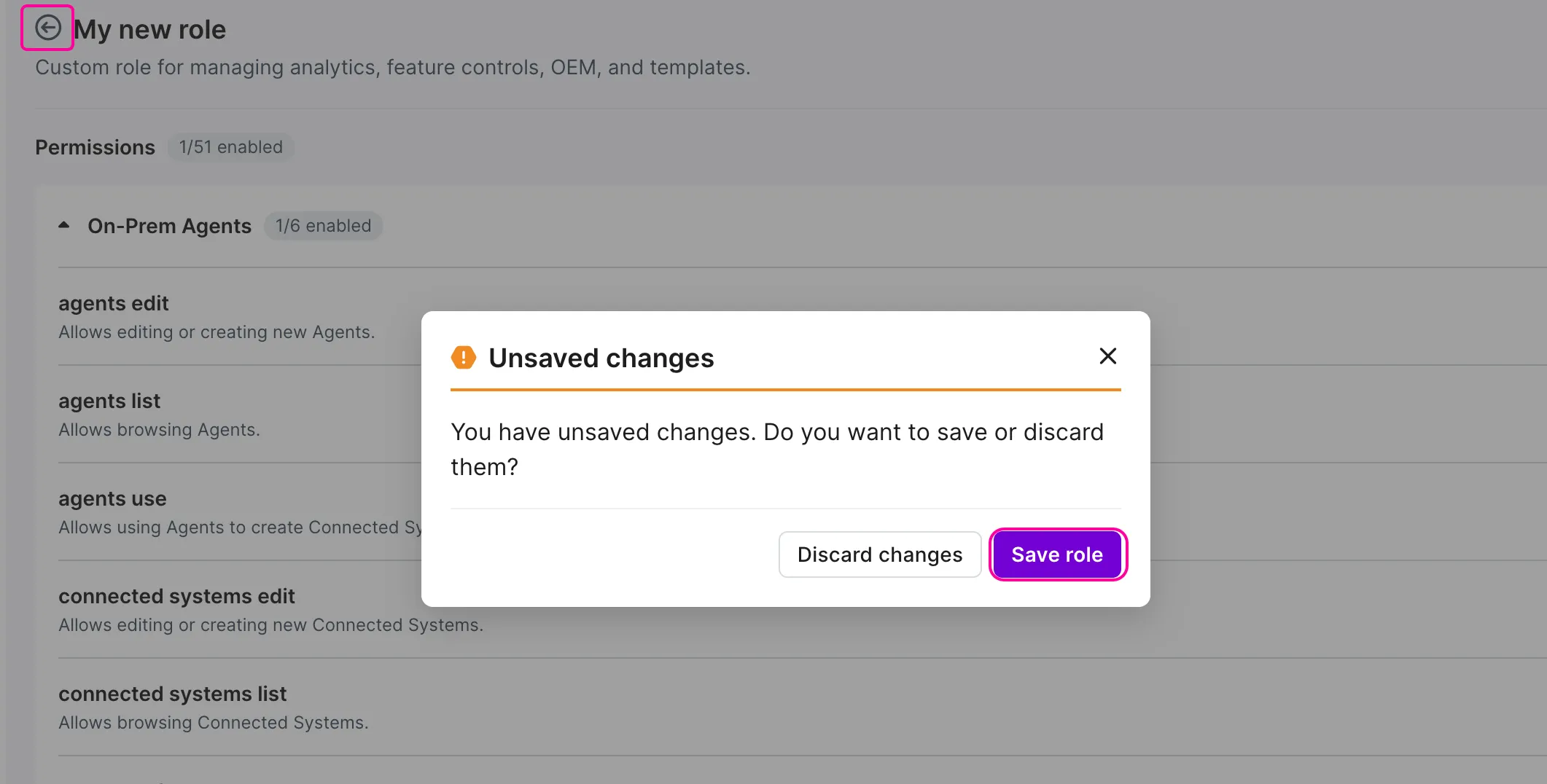
You’ve updated the custom role and changed what assigned users can access or manage.
Assign a custom role
To assign a role:
In the left sidebar, go to Org > Org Users.
Click + Invite user.

In the Email field, enter the email address of the user.
In the Name field, enter the name of the user.
From the Role dropdown list, select the role to assign.
Click Save.
You have now assigned a role to a user.
To assign a role to an already existing user, click go to Org Users or Team users table and update the existing role from the menu. For more information see Add users to an organization and Manage team roles.
Manage linked permissions
Some permissions require other permissions to work correctly. For example, a permission that lets a user manage organization settings may also require permission to view the organization.
When you enable a permission that requires other permissions, Make shows a confirmation dialog. You can enable the selected permission and its required permissions together. When you disable a permission that other permissions depend on, Make shows which related permissions will also be disabled. Review the list before you confirm the change.
Duplicate a custom role
You can duplicate a custom role from the role list. In the User roles page, find the role you want to copy, click the three dots menu, and select Duplicate role.
Make opens the copied role in edit mode. The copied role uses the original role’s permissions. Update the name, description, or permissions, then click Save role.
The Owner role can't be duplicated. Only one user can hold the Owner role in an organization. To transfer it to another user, use Transfer ownership (three-dot menu next to Owner) to give it to another user.

Delete a custom role
You can delete a custom role from the role list. In the User roles page, find the role you want to delete, click the three dots menu, and select Delete role.
Make asks you to confirm the deletion. Click Delete to remove it. This action cannot be undone.
Before you delete a role, reassign every user who currently holds it. Make doesn't let you delete a role while it's still assigned.