Pause your subscription
2 min
You can pause your subscription at any time from the Subscription tab of your organization if you meet the eligibility requirements below.
Only users with the Owner or Admin role can pause the subscription.
Eligibility requirements
You can pause your subscription only if the following requirements are met:
- You’re on a monthly plan. Annual plans can’t be paused.
- You’re on a paid self-service plan. Free and Enterprise plans can’t be paused.
- You’re not on a trial or using a 100% off coupon.
- Your subscription isn’t scheduled to be canceled.
- Your most recent payment was successful.
- Your subscription isn’t already paused or scheduled to pause.
Pause subscription
To pause your subscription:
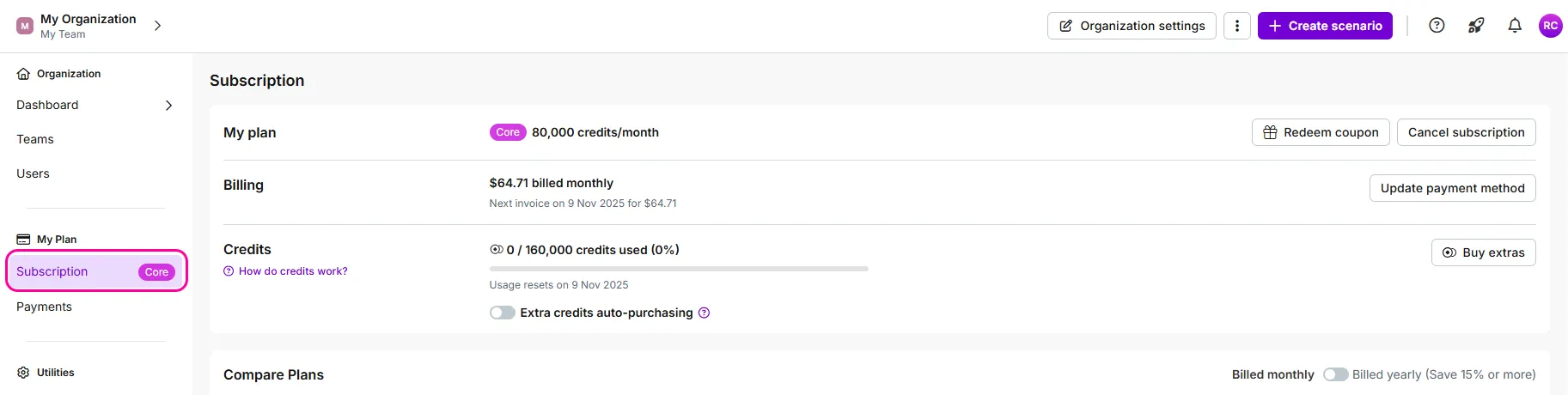
Navigate to Org on the left sidebar, then to the Subscription tab in My Plan.
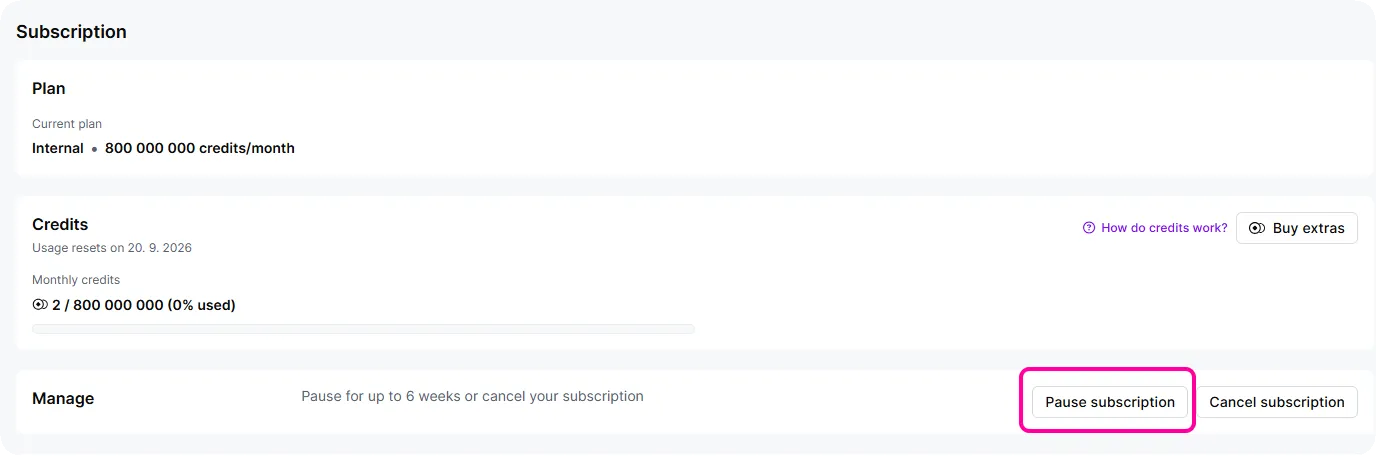
In the Manage section, click Pause subscription.
In the dialog box, select the period to pause the subscription.
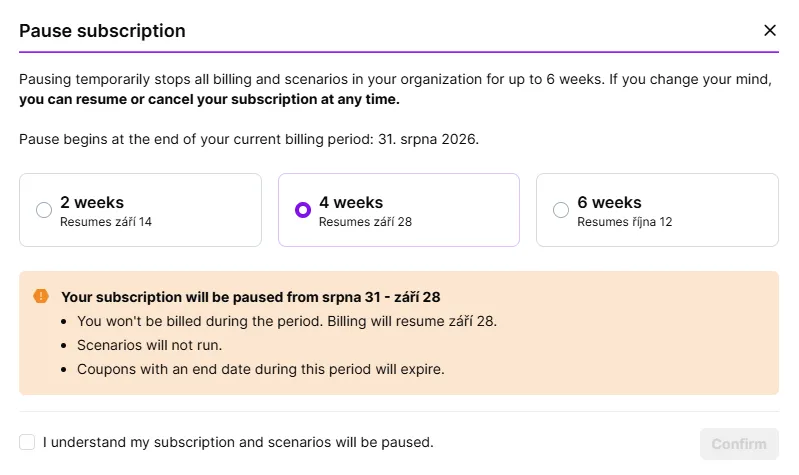
Check the I understand my subscription and scenarios will be paused checkbox.
Click Confirm.
You've now paused your subscription successfully.